Home › Compare › Cozi alternative
A Cozi alternative with a screen on the fridge
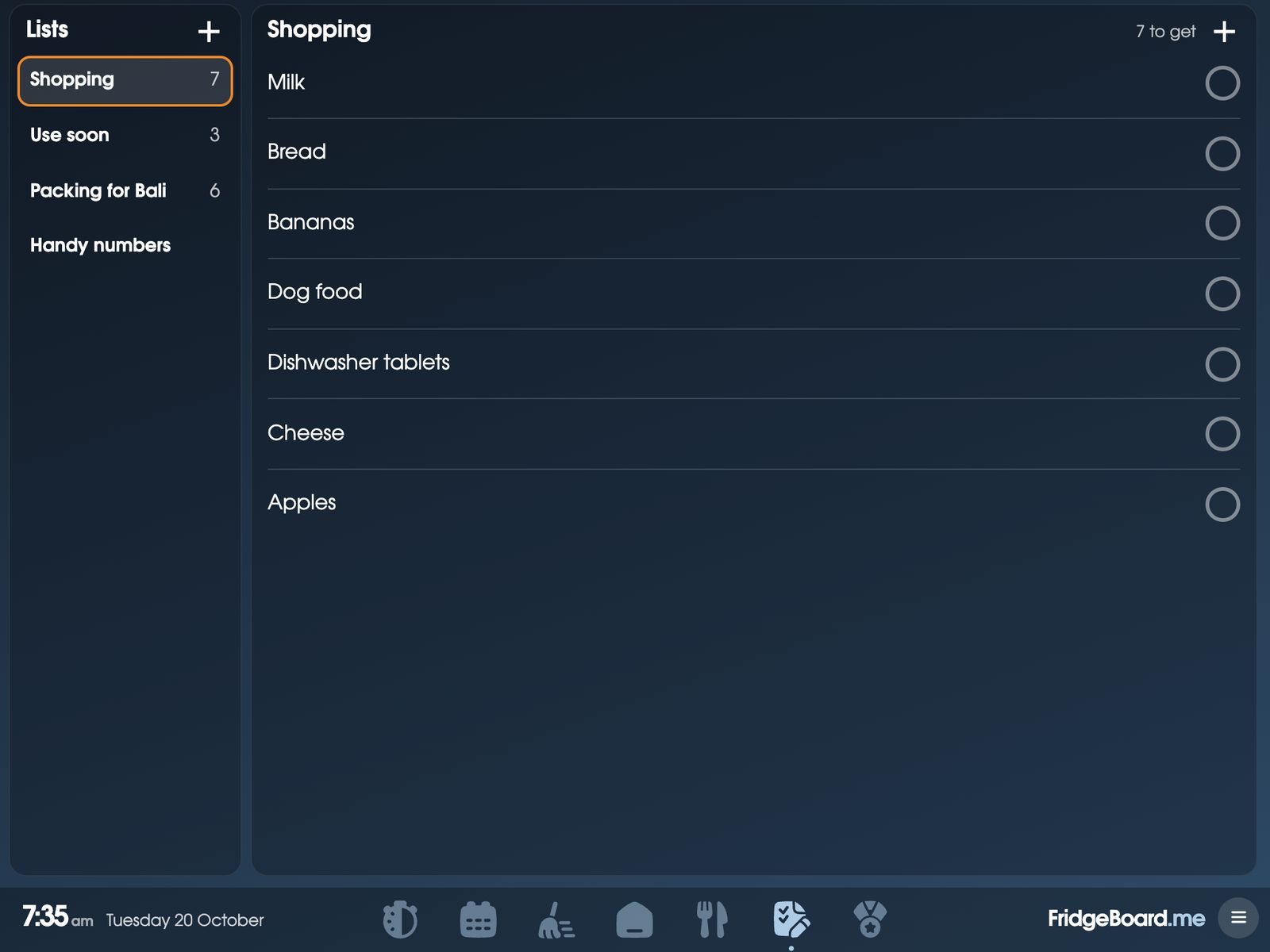
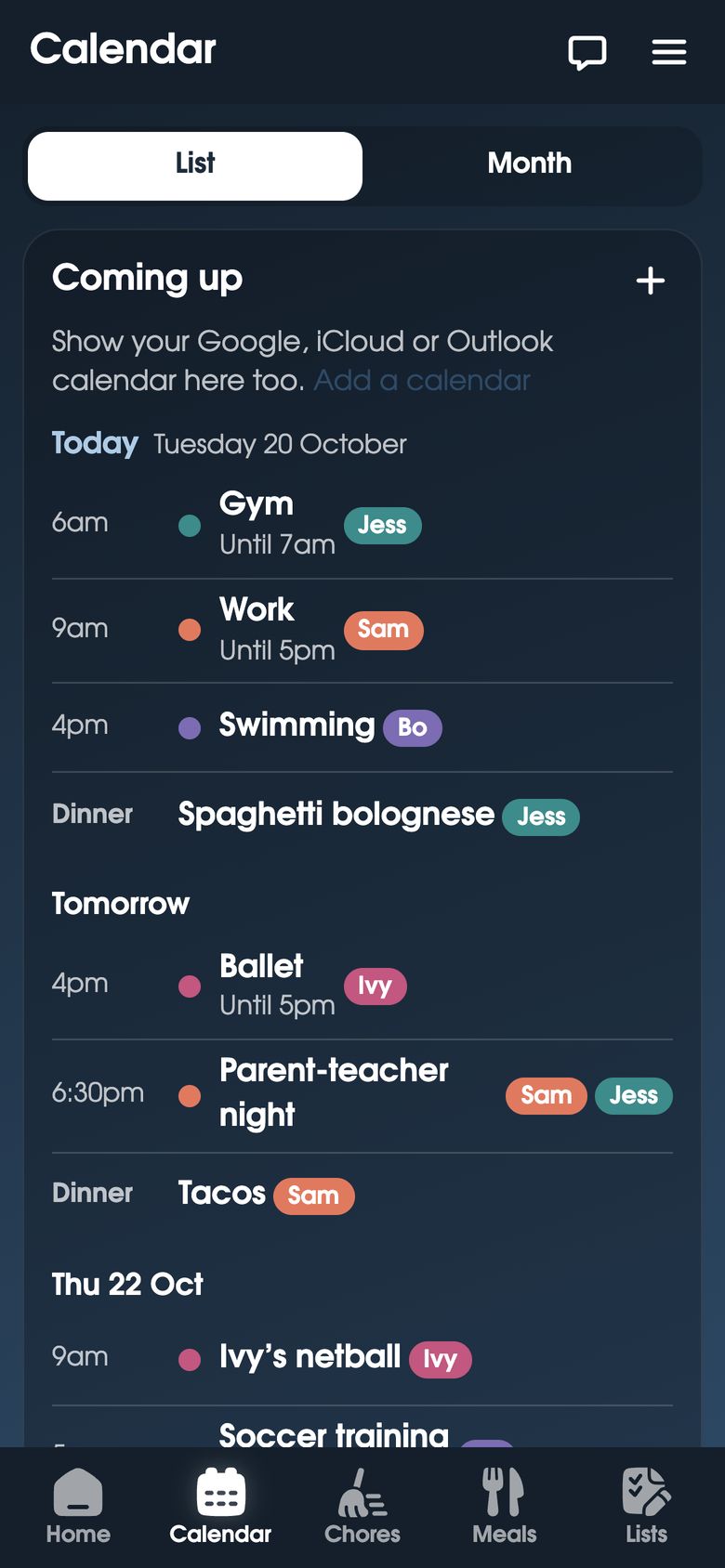
FridgeBoard is a family organizer that lives on every phone at home and on a shared screen in the kitchen: the family calendar, shopping list, meals, chores with rewards and kids’ routines. The shared screen is an iPad, Android tablet or computer you already own, and it’s one payment for the household, with no ads and no yearly Gold plan.
What Cozi is and what it costs
Cozi Family Organizer is an app for iPhone, Android and the web. The free version has a shared calendar, shopping and to-do lists, a recipe box and meal planning that sends ingredients to the list, and it shows ads.
Cozi Gold is $39 a year, and Cozi Max, $79 a year, adds AI event import and an AI meal planner. Cozi’s website says Gold removes the ads and shows more of your calendar and lists on each screen, and adds a month view on phones, calendar search, up to three reminders per event, change notifications for the family, a birthday tracker and a shopping mode.
Cozi Gold vs FridgeBoard: the cost over 1, 3 and 5 years
| What you get | First year | After 3 years | After 5 years | |
|---|---|---|---|---|
| FridgeBoard | Phones plus a shared screen, no ads | US$24 | US$24 | US$24 |
| Cozi free | Phone and web app, with ads | $0 | $0 | $0 |
| Cozi Gold | Phone and web app, no ads | $39 | $117 | $195 |
Checked November 2026 on cozi.com: the US price before tax. Prices change, so check them before you buy. FridgeBoard has no yearly fee, so its total stays the same. See every comparison on one page.
Is Cozi Gold worth it?
In plain numbers: Cozi Gold is $39 a year, so $195 over five years, and the free version costs nothing if you don’t mind the ads. FridgeBoard is US$24 in total, with no ads at any point. The other difference is where it shows up. Cozi is on your phones. FridgeBoard is on your phones and on a screen in the kitchen, where the children can see what’s on today without anyone unlocking a phone.
Why a shared screen helps
A phone app works for the adult holding the phone. A screen on the fridge works for everyone walking past. Bo can see that it’s his turn to put the bins out. Ivy can tick off her bedtime routine one step at a time. Whoever’s home can see that Max has already had his dinner, so he doesn’t get fed twice. And when someone types “Dinner’s ready!” on their phone, the fridge rings until a person taps Got it, which is handy for children who don’t have a phone yet. Messages to the fridge.
What FridgeBoard includes for one payment
- A family calendar with Days, Week and Month views, Google Calendar and Outlook syncing both ways, and iCloud and school calendars from their links. The family calendar.
- A shared shopping list sorted by aisle automatically, plus any number of other lists. The shopping list.
- Meal planning and recipes: paste a recipe link and the ingredients fill themselves in. The meal planner.
- Chores with coins and a rewards shop, including real pocket money (allowance) if you like. The chore chart.
- Kids’ routines, habits, medicine and pet care.
- Every phone at home, in the web browser, and 3 shared screens. No ads.
Feature by feature
| Cozi | FridgeBoard | |
|---|---|---|
| Where it runs | iPhone, Android and the web | Phones in the browser, plus a shared screen |
| Shared calendar | Free | Included |
| Month view on phones | Gold | Included |
| Shopping and to-do lists | Free | Included |
| Recipes and meal planning | Free | Included |
| Ads | In the free version | None |
| Cost | Free, or $39 a year for Gold | One payment |
Moving from Cozi: a simple plan
- Start with the calendar. If your events also live in Google Calendar or Outlook, connect those and they appear straight away, in each person’s colour.
- Copy the shopping list once. Type in this week’s list. Keep regular items on it and untick what’s run out each week.
- Bring over a few favourite recipes. Paste the website link and the ingredients come with it.
- Then add the things children use on the fridge: a couple of chores per child and one routine, and see who looks at the screen.
Setting it up
- On your phone, go to fridgeboard.me and tap Try it free. Add who lives at home and invite the other adults.
- Connect Google Calendar or Outlook, and add the shopping list.
- On an iPad, Android tablet or computer, open the web browser, go to fridgeboard.me, tap Open, then Use this as the shared screen. Scan the code with your phone.
- Put it in the kitchen. The phone side can be added to the Home Screen like an app.
Any iPad from the iPad 2 on works, even one that no longer updates. Turning an old iPad into a family screen.
Questions
How much is Cozi Gold?
Cozi Gold is $39 a year on cozi.com in November 2026, and it removes the ads and adds features like a month view on phones and calendar search. The free version of Cozi shows ads.
Is there a Cozi alternative without ads or a subscription?
Yes. FridgeBoard has no ads and no subscription: it’s one payment for the household (US$24 plus tax in the US, A$39 in Australia), and it works on every phone at home.
Can I show my family calendar on the fridge?
Yes. FridgeBoard turns an iPad, Android tablet or computer you already own into a shared screen for the kitchen, showing the calendar, lists, meals and chores, in sync with everyone’s phones.
Cozi vs FridgeBoard: what’s the difference?
Cozi is a phone and web app with a free version with ads and a $39 a year Gold plan. FridgeBoard works on phones and on a shared screen on the fridge, with chores, rewards and kids’ routines included, for one payment.
Does FridgeBoard have a shopping list everyone can add to?
Yes. One shared shopping list shows on the fridge and every phone, sorted by aisle automatically, and an iPhone can add to it by asking Siri.
Does FridgeBoard need an app from the App Store?
No. It runs in the web browser on phones, tablets and computers, and can be added to a phone’s Home Screen like an app.