Home › Compare › Skylight alternative
A Skylight Calendar alternative on the iPad you already have
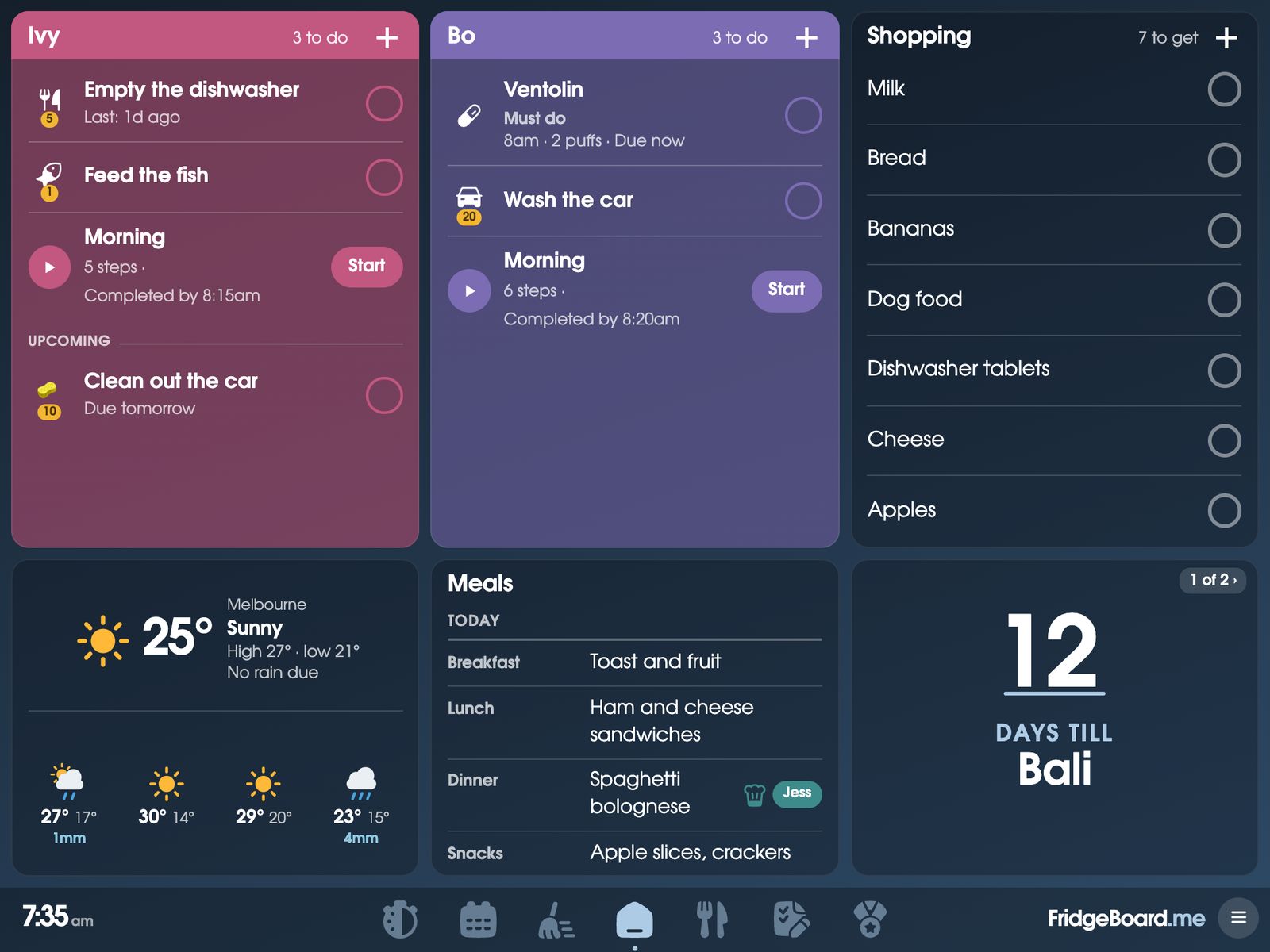
FridgeBoard turns an iPad you already own, even an old one, into a family calendar for the fridge, with chores, rewards, meal planning and a shared shopping list, all kept in sync with every phone at home. It does the job of a Skylight Calendar for one payment, with no new screen to buy and no Skylight Plus subscription.
What a Skylight Calendar costs
Skylight sells its own touch screens. On its US website the 10-inch Calendar is $169.99, the 15-inch Calendar 2 starts at $299.99 (the Classic frame), and the 27-inch Calendar Max is $569.99 for the Classic.
The calendar, tasks, custom lists, profiles and the parental lock work without a subscription. Skylight Plus is $79 a year after a free first month, and it adds meal planning, star rewards for chores, the photo screensaver and Magic Import (Sidekick), which turns emails, PDFs and paper schedules into events.
Skylight vs FridgeBoard: the cost over 1, 3 and 5 years
These totals add a year of Skylight Plus for each year, since that’s what meal planning and chore rewards need. Without Plus, a Skylight costs the screen price and nothing more.
| Screen | First year | After 3 years | After 5 years | |
|---|---|---|---|---|
| FridgeBoard | The iPad, tablet or computer you have | US$24 | US$24 | US$24 |
| Skylight 10″ with Plus | A new 10″ screen | $249 | $407 | $565 |
| Skylight Calendar 2, 15″, with Plus | A new 15″ screen | $379 | $537 | $695 |
| Skylight Calendar Max, 27″, with Plus | A new 27″ screen | $649 | $807 | $965 |
Checked November 2026 on myskylight.com: US list prices before sales and tax, rounded to the dollar, with Skylight Plus at $79 a year. Prices change, so check them before you buy. FridgeBoard has no yearly fee, so its total stays the same however long you use it. See every comparison on one page.
Is a Skylight Calendar worth it?
That comes down to the numbers above and what you already own. A 15-inch Skylight with Plus is about $379 in the first year and about $695 over five. If there’s an iPad in a drawer at home, an Android tablet, or a laptop that could live on the bench, FridgeBoard puts the same kind of family calendar on it for US$24 in total, and the meal planner, chore rewards and photo sleep screen are part of that one payment.
If you don’t have a spare screen at all, a basic Android tablet in a stand does the job. FridgeBoard runs in its web browser. Using an Android tablet as the family screen.
What FridgeBoard includes for one payment
- A family calendar in each person’s colour, syncing both ways with Google Calendar and Outlook. iCloud, school and sports calendars can be shown from their links. Up to 20 calendars. The family calendar.
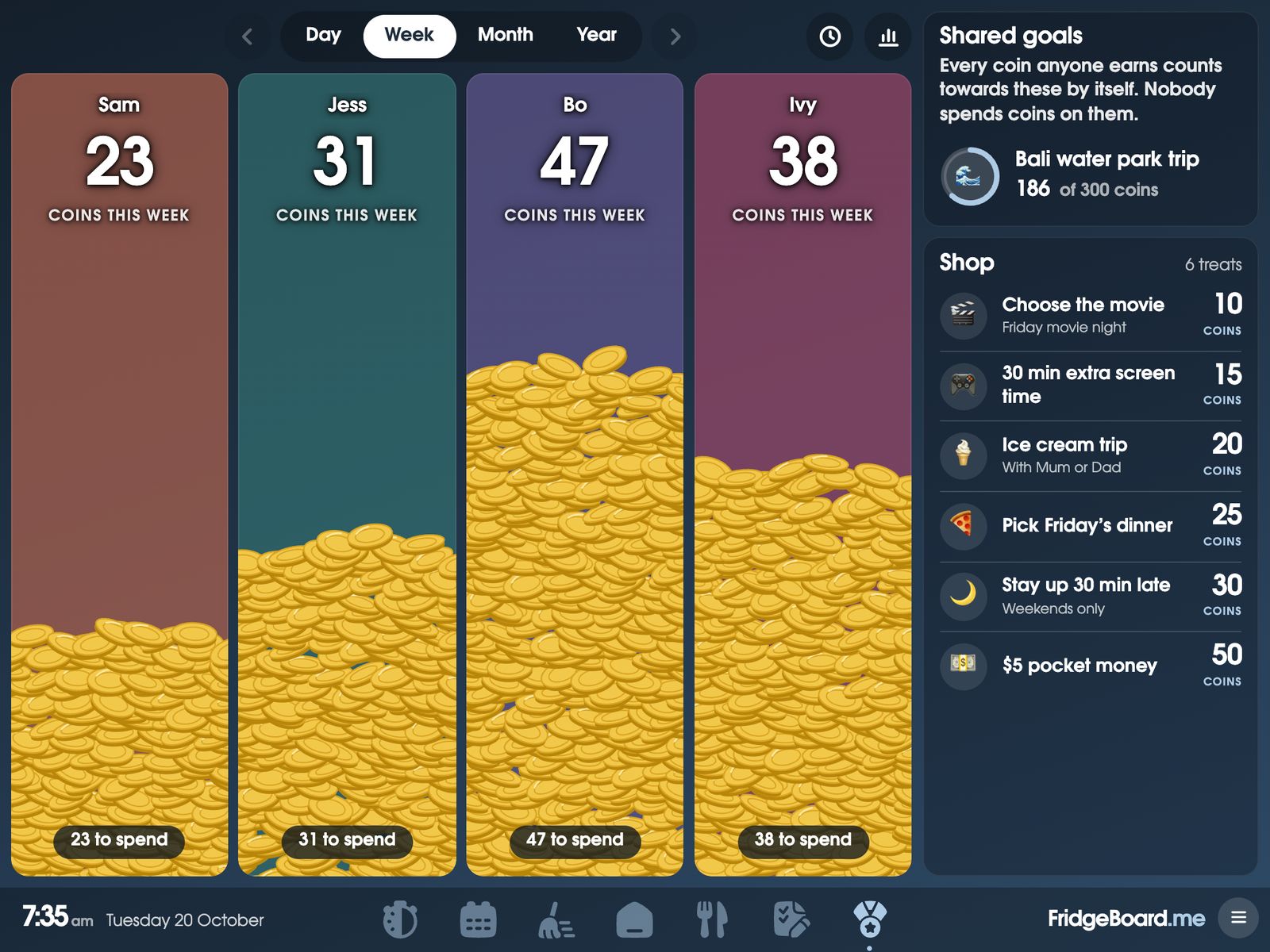
- A chore chart that keeps score. Chores that take turns, finish-by times, coins, a rewards shop and a shared goal the family saves towards. The chore chart and rewards.
- Meal planning with a recipe book. Paste a recipe link and the ingredients fill themselves in, then send them to the shopping list. The meal planner.
- A shared shopping list sorted by aisle, on the fridge and every phone.
- Routines for children, one step at a time, with pictures for kids who can’t read yet.
- Medicine and pet reminders, messages that ring on the fridge, and a sleep screen with up to 10 of your photos.
- 3 shared screens and every phone at home, with updates included for as long as FridgeBoard runs.
Feature by feature
| Skylight | FridgeBoard | |
|---|---|---|
| The screen | A new Skylight screen, 10″ to 27″ | Your own iPad, Android tablet or computer |
| Calendar | Without a subscription | Included |
| Tasks and lists | Without a subscription | Included |
| Rewards for chores | Skylight Plus | Included: coins, a shop and shared goals |
| Meal planning | Skylight Plus | Included, with recipes |
| Photo screensaver | Skylight Plus | Included, up to 10 photos |
| Turn emails and PDFs into events | Skylight Plus (Magic Import) | Not offered |
| Yearly fee | $79 for Plus | None |
A Skylight-style calendar on an old iPad
Plenty of families have an iPad that stopped getting updates years ago. FridgeBoard runs in Safari on every iPad from the iPad 2 (2011) on, back to iOS 9, so it doesn’t need the App Store or an Apple ID. A few things help, whatever you end up using it for:
- Charge it properly first. An old iPad that won’t turn on is usually just flat. Use a charger of 10W (2.1A) or more and leave it overnight. If the battery is swollen, don’t charge it.
- Keep it on the charger. A family screen is on all day, so plan for a cable that reaches the fridge or the bench.
- Mount it where everyone walks past. Adhesive magnets on the case hold it on the fridge, or a cheap stand puts it on the bench.
- Lock it to the one page. Guided Access (Settings › Accessibility) stops little fingers wandering off to other apps.
More on turning an old iPad into a family screen.
Already own a Skylight? Keep the screen
Skylight doesn’t list a web browser on its screens, so FridgeBoard is unlikely to run on one. Check with the free trial before you change anything. Which screens can run FridgeBoard.
Setting it up
- On your phone, go to fridgeboard.me and tap Try it free. Add who lives at home.
- Connect Google Calendar or Outlook, and add a few chores and this week’s meals.
- On the iPad, open Safari, go to fridgeboard.me, tap Open, then Use this as the shared screen. Scan the code with your phone.
- Put the iPad on the fridge or the bench. It stays in sync with every phone you invite.
Questions
What is a cheaper alternative to a Skylight Calendar?
FridgeBoard turns an iPad, Android tablet or computer you already own into a family calendar for the fridge, with chores, rewards and meal planning. It’s one payment for the household (US$24 plus tax in the US, A$39 in Australia), compared with $299.99 for a 15-inch Skylight Calendar 2 plus $79 a year for Skylight Plus.
Can I use Skylight without a subscription?
Yes. On Skylight’s website the calendar, tasks, lists and profiles work without one, while meal planning, chore rewards, the photo screensaver and Magic Import need Skylight Plus at $79 a year. FridgeBoard includes its meal planner, rewards and photo sleep screen with no subscription.
How much does a Skylight Calendar cost over 5 years?
A 15-inch Skylight Calendar 2 at $299.99 with Skylight Plus at $79 a year comes to about $695 over five years, at US list prices checked in November 2026. FridgeBoard stays at its one payment because it has no yearly fee.
Can I turn my old iPad into a Skylight-style calendar?
Yes. FridgeBoard runs in Safari on any iPad from the iPad 2 on, including iPads that no longer get updates, and shows the family calendar, chores and shopping list on the fridge.
Does FridgeBoard sync with Google Calendar like Skylight?
Yes. Google Calendar and Outlook sync both ways, so events added on the fridge show up on your phone and the other way round. iCloud calendars can be shown from their shared link.
Can FridgeBoard run on a Skylight screen I already own?
Probably not. FridgeBoard runs in a web browser, and Skylight doesn’t list one on its screens. If yours can open a web page full screen, check it with the 5-day free trial, which needs no card.