Home › Compare › Hearth alternative
A Hearth Display alternative with no membership
FridgeBoard puts kids’ routines, chores and rewards, meal planning, lists and the family calendar on an iPad, Android tablet or computer you already own, and keeps it all in sync with every phone at home. It’s one payment for the household, with no membership and no new screen, where the Hearth Display is a $699 screen with a Family Membership needed to set it up.
What the Hearth Display costs
Hearth sells one screen: the Hearth Display, a 27-inch touch screen with a wall mount, at a list price of $699 on its website. When we checked, a Black Friday code took it to $559.20.
Hearth’s product page says a Family Membership is required to set up the display. Its membership page says it can be cancelled after setup, and the calendar still shows without it, while routines, lists, rewards and meal planning stop. The membership covers Hearth Helper (an AI helper that turns invitations into events), routines, meal planning, lists, rewards and streaks, the companion phone app and future updates. It’s $9 a month, $86.40 a year, $155.52 for two years or $207.36 for three, and the first month is free.
Hearth vs FridgeBoard: the cost over 1, 3 and 5 years
| Screen | First year | After 3 years | After 5 years | |
|---|---|---|---|---|
| FridgeBoard | The iPad, tablet or computer you have | US$24 | US$24 | US$24 |
| Hearth, yearly membership | A new 27″ screen | About $785 | About $958 | About $1,131 |
| Hearth, monthly membership | A new 27″ screen | $807 | $1,023 | $1,239 |
| Hearth, 3-year membership | A new 27″ screen | About $906 for the first 3 years | Depends on the next plan | |
Checked November 2026 on hearthdisplay.com: the $699 US list price before sales and tax, plus a full year of membership each year (Hearth gives the first month free). Prices change, so check them before you buy. FridgeBoard has no yearly fee. See every comparison on one page.
Is the Hearth Display worth it?
On cost alone: a Hearth with the yearly membership comes to about $785 in the first year and about $1,131 over five, at list price. Routines, rewards and meal planning are part of the membership, so they’re part of that yearly cost. FridgeBoard has its own routine player, chores, coins and meal planner on the screen you already own, for US$24 in total. No iPad? An Android tablet, a laptop on the bench or a smart TV with a web browser works too.
Routines kids can follow on their own
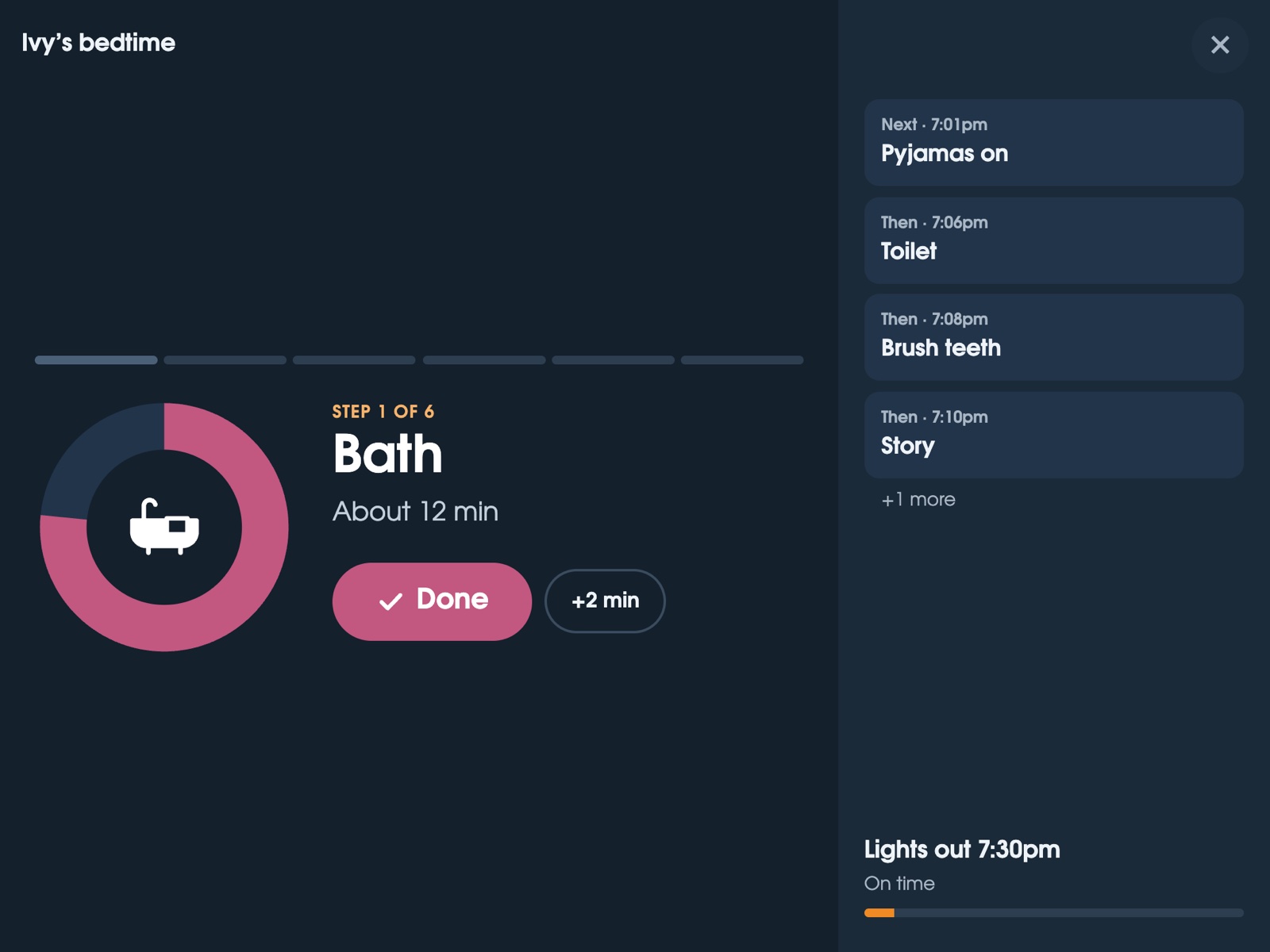
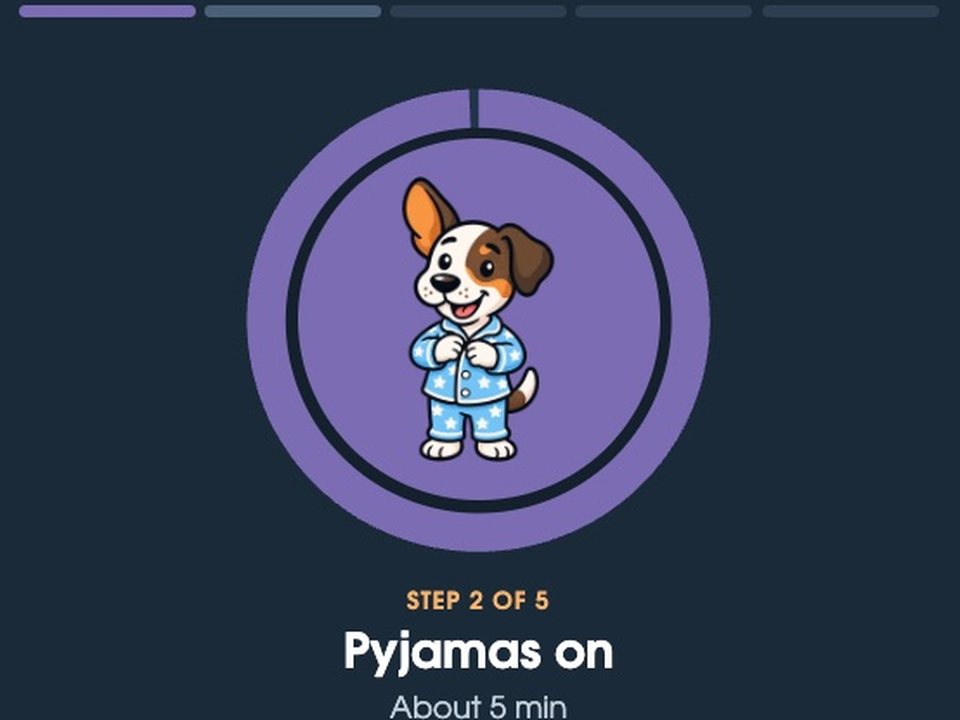
Routines are a big reason families look at Hearth, so here’s how they work in FridgeBoard. Each child gets morning, after-school, bedtime or sport routines, and the shared screen walks them through one step at a time: Bath, about 12 minutes, then Pyjamas, Toilet, Brush teeth, Story. A finish goal they can read (“Finish goal: 7:30pm”) shows whether they’re on time. For children who can’t read yet, Max the dog shows each step in a picture, and steps can be read aloud. Two children on the same routine can start a few minutes apart, so nobody waits for the bathroom. More about routine charts for kids.
Tips for a routine chart that works, on any screen
- Keep it short. Five or six steps for a bedtime routine is plenty. More than that and children lose the thread.
- Use the same order every night. The routine does the remembering, so you don’t have to keep saying “teeth”.
- Put it where they are. A screen in the kitchen or hallway gets seen. A list on a parent’s phone mostly doesn’t.
- Give it an end time, not a start time. “Lights out at 7:30” is easier to aim for than “start at 6:45”.
- Pictures for little ones. Picture steps help younger children who can’t read yet. Our bedtime routine guide has more.
What FridgeBoard includes for one payment
- Routines with a full-screen, step-by-step player, picture steps and staggered starts.
- Chores and rewards: chores that take turns, coins, a shop you fill, and a shared goal. Rewards and pocket money.
- Meal planning with recipes that send their ingredients to the shopping list. The meal planner.
- Lists: a shared shopping list sorted by aisle, plus any number of your own lists.
- A family calendar syncing both ways with Google Calendar and Outlook, up to 20 calendars.
- Habits, medicine and pet care, messages that ring on the fridge, weather and a photo sleep screen.
- Every phone at home and 3 shared screens, with updates included for as long as FridgeBoard runs.
Feature by feature
| Hearth Display | FridgeBoard | |
|---|---|---|
| The screen | A new 27″ screen | Your own iPad, Android tablet or computer |
| Membership to set up | Required (can be cancelled after) | None |
| Calendar | Shows without the membership, after setup | Included |
| Kids’ routines | In the membership | Included |
| Rewards | In the membership (rewards and streaks) | Included: coins, a shop and shared goals |
| Meal planning | In the membership | Included, with recipes |
| Lists | In the membership | Included |
| Phones | Companion app, in the membership | Every phone at home, in the web browser |
| Suggestions from invites | Hearth Helper, in the membership | Not offered |
| Yearly cost | $86.40 a year, or $9 a month | None |
Setting it up
- On your phone, go to fridgeboard.me and tap Try it free. Add who lives at home.
- Add a bedtime or morning routine for each child, a few chores, and the week’s meals.
- On the iPad or tablet, open the web browser, go to fridgeboard.me, tap Open, then Use this as the shared screen. Scan the code with your phone.
- Mount it on the fridge or wall, or stand it on the bench. Every phone you invite stays in sync.
It works on any iPad from the iPad 2 on, even ones that no longer update. Turning an old iPad into a family screen.
Questions
Do you need a membership for the Hearth Display?
Hearth’s product page says a Family Membership is required to set up the Hearth Display, at $9 a month or $86.40 a year, with the first month free. FridgeBoard has no membership: it’s one payment for the household.
What is a cheaper alternative to the Hearth Display?
FridgeBoard runs routines, chores, rewards, meal planning and the family calendar on an iPad, Android tablet or computer you already own. It costs US$24 plus tax in the US, A$39 in Australia, once, with no membership.
How much does a Hearth Display cost over 5 years?
At the $699 list price plus the $86.40 yearly membership, a Hearth Display comes to about $1,131 over five years, at US prices checked in November 2026. FridgeBoard has no yearly fee, so its total doesn’t grow.
Does FridgeBoard have routines like Hearth?
Yes. Morning, after-school and bedtime routines walk each child through one step at a time on the shared screen, with a finish goal they can read and picture steps for children who can’t read yet.
Can I use an old iPad instead of buying a Hearth?
Yes. FridgeBoard runs in Safari on every iPad from the iPad 2 on, including iPads that stopped getting updates. Android tablets, laptops and smart TVs with a web browser work too.
Is there a free trial?
Yes. FridgeBoard has a 5-day free trial with no card needed, and the 5 days start when the first shared screen is connected, or 7 days after sign-up if that’s sooner.