Home › Features › Shopping list
A shared family shopping list, on the fridge and every phone
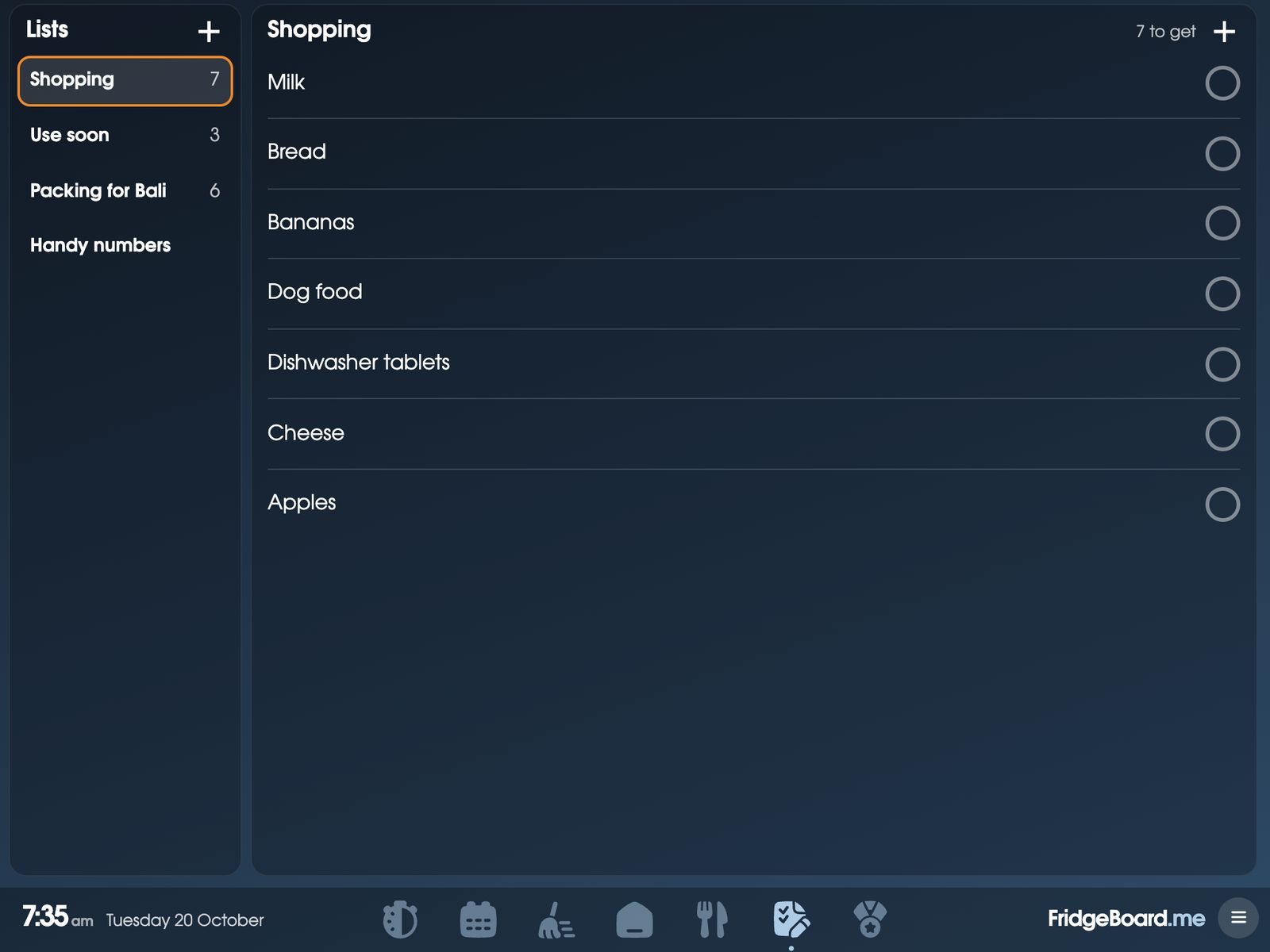
FridgeBoard gives your household one shared shopping list that shows on the fridge, on an iPad you already own, and on every phone at home. Add milk on the fridge when it runs out, and it’s on your phone at the supermarket, sorted by aisle.
Why a shared grocery list beats the one on the fridge door
The paper list on the fridge has one problem: it’s on the fridge, and you’re at the shop. So you text home, or guess, and come back with a third jar of mustard and no milk. Separate shopping list apps on each phone have the opposite problem: the kids can’t add to them and nobody else looks at them.
A shared shopping list on a screen in the kitchen does both jobs. Anyone at home adds to it the moment something runs out, children included, and the person at the shop sees it on their phone straight away. When they tick something off, it comes off everyone’s list.
Sorted by aisle, without setting anything up
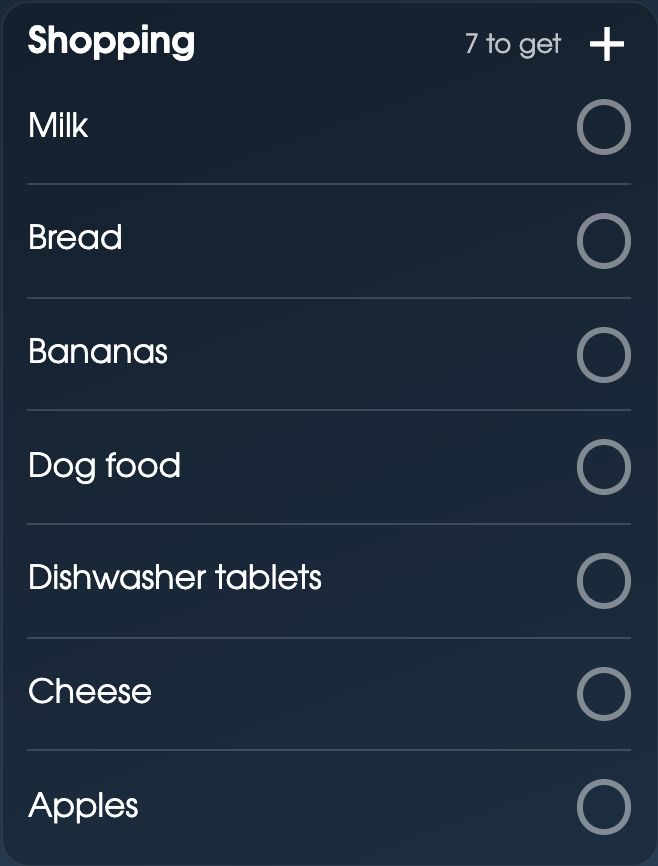
Items sort themselves into aisles as you add them. Milk goes under Dairy & eggs, bananas under Fruit, dishwasher tablets under Cleaning & household. You don’t have to choose a category or train it first. If something lands in the wrong aisle, move it once and FridgeBoard remembers. Drag the aisles into the order of your own supermarket, so the list walks you through the shop from the front door to the checkout.
Regular items, recipes and “Hey Siri, add milk”
- Regular items stay on the list. For the same shop every week, keep ticked things on the list and untick what has run out. Nobody types “bread” fifty times a year.
- From the meal plan. Send the week’s meals from the meal planner and the ingredients are added, with like things added together (2 eggs and 3 eggs is 5 eggs).
- Add by voice. On an iPhone, say “Hey Siri, add milk to FridgeBoard” and it’s on the list.
- Apple Reminders. If you already keep a shopping list in Reminders on an iPhone, those lists can be synced in.
- Everyone can add. Children add to the list on the shared screen; adults and teenagers from their own phones.
A Use soon list for leftovers, and lists for everything else
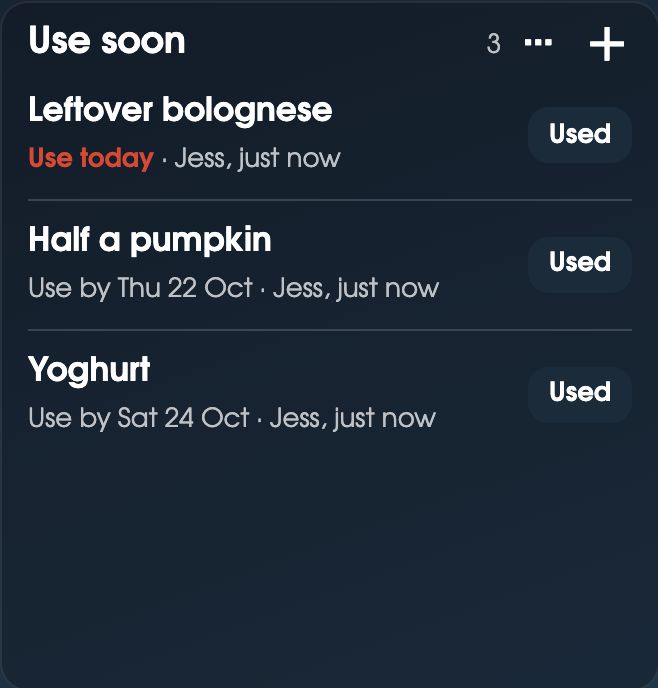
Shopping is only one list. The Use soon list is for the half pumpkin, the leftover bolognese and the yoghurt that needs eating by Saturday. Each item shows when to use it by, and a tap on Used takes it off. It’s on the fridge, so it gets eaten before it goes to the back of it.
Make as many other lists as you like: a packing list for the holiday, birthday and Christmas ideas, things to fix around the house. A list can have tick boxes, or work like a phone book, such as Handy numbers for the vet, the babysitter and the takeaway.
Tips for a family shopping list that works
- Add it when you finish it. The rule that matters: whoever uses the last of something puts it on the list. Teach the kids this one early.
- Write what you’d say in the shop. “Milk (2L)” or “Bread, the seeded one” saves a phone call from aisle 4.
- Shop from the meal plan. Plan dinners first, then shop. It’s the easiest way to spend less and throw less out.
- Check Use soon before you plan. The leftovers and half-used veg can often make a dinner by themselves.
- Keep a packing list you reuse. Untick it all before the next trip instead of starting again.
Setting it up
- On your phone, go to fridgeboard.me and tap Try it free. Add who lives at home.
- Open Lists and add a few things to Shopping. Add Use soon or a packing list if you like.
- On the iPad, open Safari, go to fridgeboard.me, tap Open, then Use this as the shared screen. Scan the code with your phone.
- Invite the other adults. To add by voice or sync Apple Reminders, follow the steps on your iPhone in Settings.
It runs on any iPad from the iPad 2 on, Android tablets and computers. The phone side works in the web browser on iPhone and Android. Turning an old iPad into a family screen.
Questions
What is the best shared shopping list app for families?
FridgeBoard is a shared family shopping list that shows on a tablet on the fridge and on every phone at home, so anyone can add to it and whoever is at the shop sees it straight away. It sorts itself by aisle and is part of a family calendar, chore chart and meal planner.
Can the shopping list sort itself by aisle?
Yes. Items go into aisles as you add them, such as milk under Dairy, with nothing to set up. You can move an item once and it remembers, and drag the aisles into your supermarket’s order.
Can I add to the shopping list with Siri?
Yes. On an iPhone, say “Hey Siri, add milk to FridgeBoard”. Shopping lists kept in Apple Reminders on an iPhone can also be synced in.
Does it work on Android phones too?
Yes. The phone side runs in the web browser on iPhone and Android, and can be added to the Home Screen like an app. Adding by voice uses Siri, so it needs an iPhone.
Can I keep the same items on the list every week?
Yes. Turn on keeping ticked things, and your regular items stay on the list so you just untick what has run out.
Is the shopping list free?
There’s a 5-day free trial with no card needed. After that FridgeBoard is one payment for the whole household (US$24 plus tax in the US, A$39 in Australia), with no subscription.