Home › Compare › Cozyla alternative
A Cozyla Calendar alternative, on a screen you already own
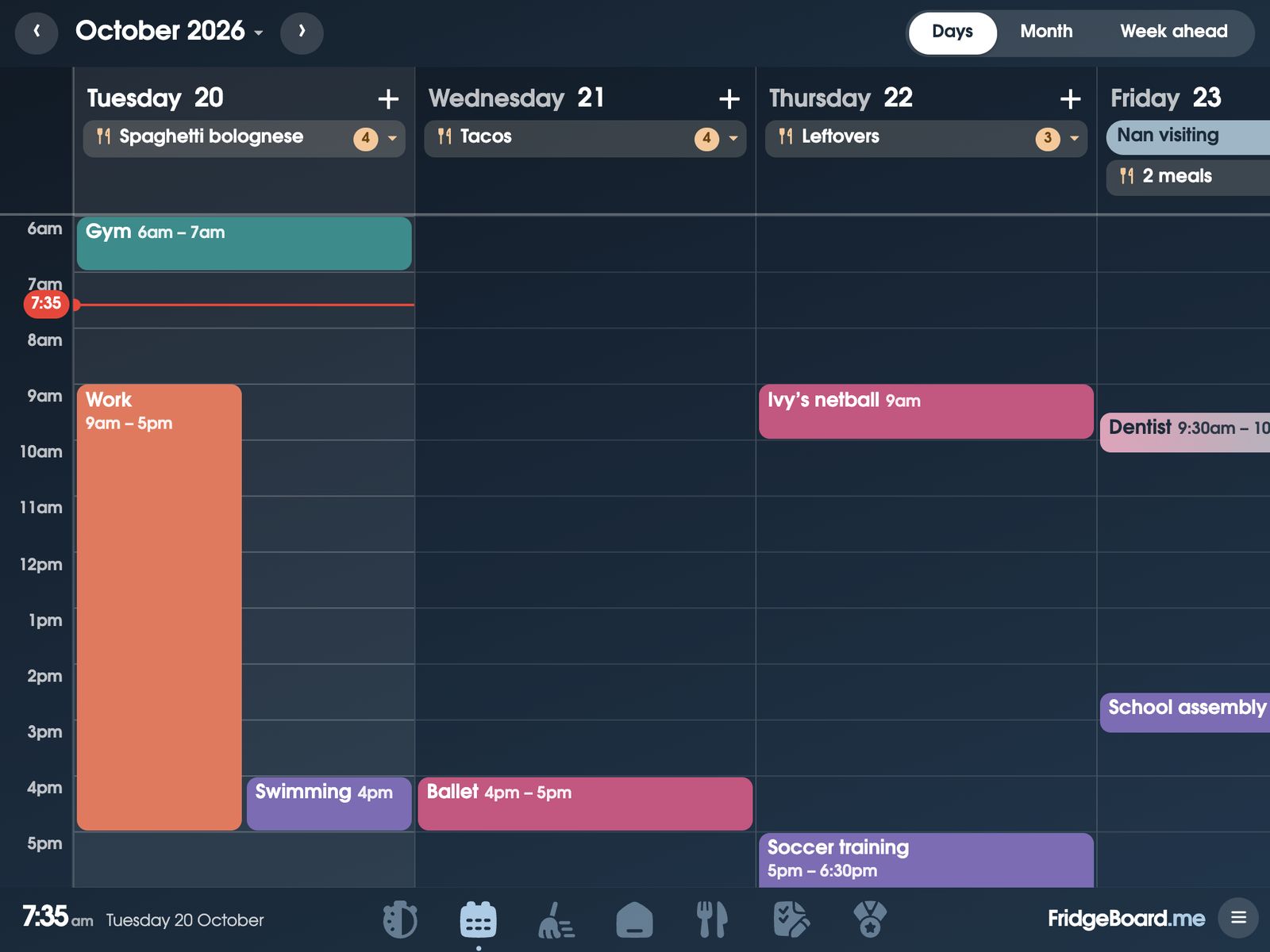
FridgeBoard turns an iPad, Android tablet or computer you already have into the family calendar on the fridge, with chores, rewards, meal planning and a shared shopping list, all in sync with every phone at home. It’s one payment for the household with no subscription. And if you already own a Cozyla Calendar+, FridgeBoard can run on that too, in Chrome.
What a Cozyla Calendar costs
Cozyla sells its own screens in 15.6, 24, 32 and 55-inch sizes. On its US website the 15.6-inch Calendar Plus 2 is $349.99 without the membership, the 24-inch is $699.99, and the 32-inch (1080p) is $899.99. When we checked, some sizes were cheaper on sale or bundled with a trial of the membership.
Most features don’t need a subscription. Cozyla lists its dashboard, Google Play apps, calendar sync, routines, chores, to-dos and rewards, meal planning, the photo screensaver, Smart Import and standard use of its AI assistant as free. The optional Calendar Super Membership is $69.99 a year after a free month, and adds unlimited Cozyla Agent conversations, the Art Gallery screensaver and a Weekly Recap.
Cozyla vs FridgeBoard: the cost over 1, 3 and 5 years
| Screen | First year | After 3 years | After 5 years | |
|---|---|---|---|---|
| FridgeBoard | The iPad, tablet or computer you have | US$24 | US$24 | US$24 |
| Cozyla 15.6″, no membership | A new 15.6″ screen | $350 | $350 | $350 |
| Cozyla 15.6″, with membership | A new 15.6″ screen | $420 | $560 | $700 |
| Cozyla 32″, no membership | A new 32″ screen | $900 | $900 | $900 |
| Cozyla 32″, with membership | A new 32″ screen | $970 | $1,110 | $1,250 |
Checked November 2026 on cozyla.com: US prices for the Calendar Plus 2 bought without the membership, before sales and tax, rounded to the dollar, with the membership at $69.99 a year. Prices change, so check them before you buy. See every comparison on one page.
Is a Cozyla Calendar worth it?
The membership is optional, so most of the cost of a Cozyla is the screen: $349.99 for the smallest Calendar Plus 2, up to $899.99 for the 32-inch. If you already have an iPad, an Android tablet or a laptop that could sit in the kitchen, FridgeBoard puts a family calendar, chores and coins, meals and lists on it for US$24 in total. That’s the whole difference: a new screen, or one you already own.
Already own a Cozyla? Run FridgeBoard in Chrome
Cozyla says its Calendar Plus series runs Android with the Google Play Store. That means you can install Chrome from Google Play, open fridgeboard.me, and use the Cozyla as FridgeBoard’s shared screen. You keep the screen you paid for, and FridgeBoard’s chores, coins, routines and meal planning sit alongside it with no subscription. It counts as one of the 3 shared screens included, so it can sit in the kitchen while an old iPad upstairs shows the same lists and chores. Check it with the free trial before you rely on it.
What FridgeBoard includes for one payment
- A family calendar with Days, Week and Month views, each person in their colour. The family calendar.
- Chores and rewards: chores that take turns, coins, a treat shop and real pocket money if you like. The chore chart.
- Meal planning with recipes, a meal each when people eat different things, and ingredients sent to the shopping list.
- Routines for mornings and bedtime, with picture steps for kids who can’t read yet. Routine charts.
- Habits, medicine and pet care, with who did what and when.
- Messages from your phone that ring on the fridge until someone taps Got it.
- Works with Home Assistant, for lights, sensors and buttons on the shared screen. Home Assistant.
Feature by feature
| Cozyla Calendar Plus 2 | FridgeBoard | |
|---|---|---|
| The screen | A new Cozyla screen, 15.6″ to 55″ | Your own iPad, Android tablet or computer, or a Cozyla |
| Calendar sync | Apple, Google, Outlook, CalDAV and links (two-way for Apple and Google) | Google and Outlook two-way; iCloud and other links shown |
| People | Up to 8 profiles | Everyone in the household |
| Chores and rewards | Free | Included |
| Meal planning | Free | Included |
| Android apps | Google Play on the Plus series | Not an app store; runs in the browser |
| AI voice assistant | Standard use free, unlimited with membership | Not offered (Siri can add to the shopping list) |
| Yearly cost | Optional, $69.99 | None |
Before you buy any family calendar screen
A few questions worth asking, whichever way you go:
- Where will it go? Measure the spot. A 15-inch screen suits a bench; a 32-inch needs a wall and a power point near it.
- Who will add things? If only one parent updates the calendar, the screen won’t stay current. Make sure every adult can add from their own phone.
- What do you already own? An old iPad, an Android tablet, or a laptop that rarely leaves the house can be the family screen today. Using an old iPad or an Android tablet.
- What does it cost after year one? Add up the screen and any plan over three or five years, like the table above.
Setting it up
- On your phone, go to fridgeboard.me and tap Try it free. Add who lives at home.
- Connect Google Calendar or Outlook, and add chores and meals.
- On the iPad, tablet or Cozyla (in Chrome), go to fridgeboard.me, tap Open, then Use this as the shared screen. Scan the code with your phone.
- Leave it where everyone walks past. It stays in sync with every phone you invite.
Questions
Does Cozyla need a subscription?
Not for the Calendar Plus series. Cozyla’s website says most features are free, and its optional membership is $69.99 a year for unlimited AI assistant use, the Art Gallery screensaver and a Weekly Recap. The main cost is the screen, from $349.99 for the 15.6-inch Calendar Plus 2.
What is a cheaper alternative to a Cozyla Calendar?
FridgeBoard turns an iPad, Android tablet or computer you already own into a family calendar with chores, rewards and meal planning. It’s one payment for the household: US$24 plus tax in the US, A$39 in Australia.
Can I run FridgeBoard on my Cozyla?
Yes, on a Cozyla Calendar Plus model with Google Play: install Chrome, open fridgeboard.me and connect it as the shared screen. Check it with the 5-day free trial first.
Cozyla vs FridgeBoard: what’s the main difference?
Cozyla sells its own screen with its calendar software on it, while FridgeBoard is software for a screen you already own, plus every phone at home. FridgeBoard has no yearly plan at all.
Can I use an old iPad instead of a Cozyla?
Yes. FridgeBoard runs in Safari on every iPad from the iPad 2 on, including iPads that no longer get updates.
Does FridgeBoard sync with Apple Calendar?
FridgeBoard shows iCloud calendars from their shared link, so they appear but are changed in Apple Calendar. Google Calendar and Outlook sync both ways.