Home › Guides › Android tablet
An Android or Fire tablet as your family calendar
An old Android tablet, or an Amazon Fire tablet, can be your family calendar and kitchen display. FridgeBoard runs in the tablet’s web browser (Chrome on most Android tablets, Silk on a Fire) and turns it into the household’s shared screen: calendar, chores and coins, shopping list, meals and routines, kept in sync with every phone at home. No app to install, and one payment with no subscription.
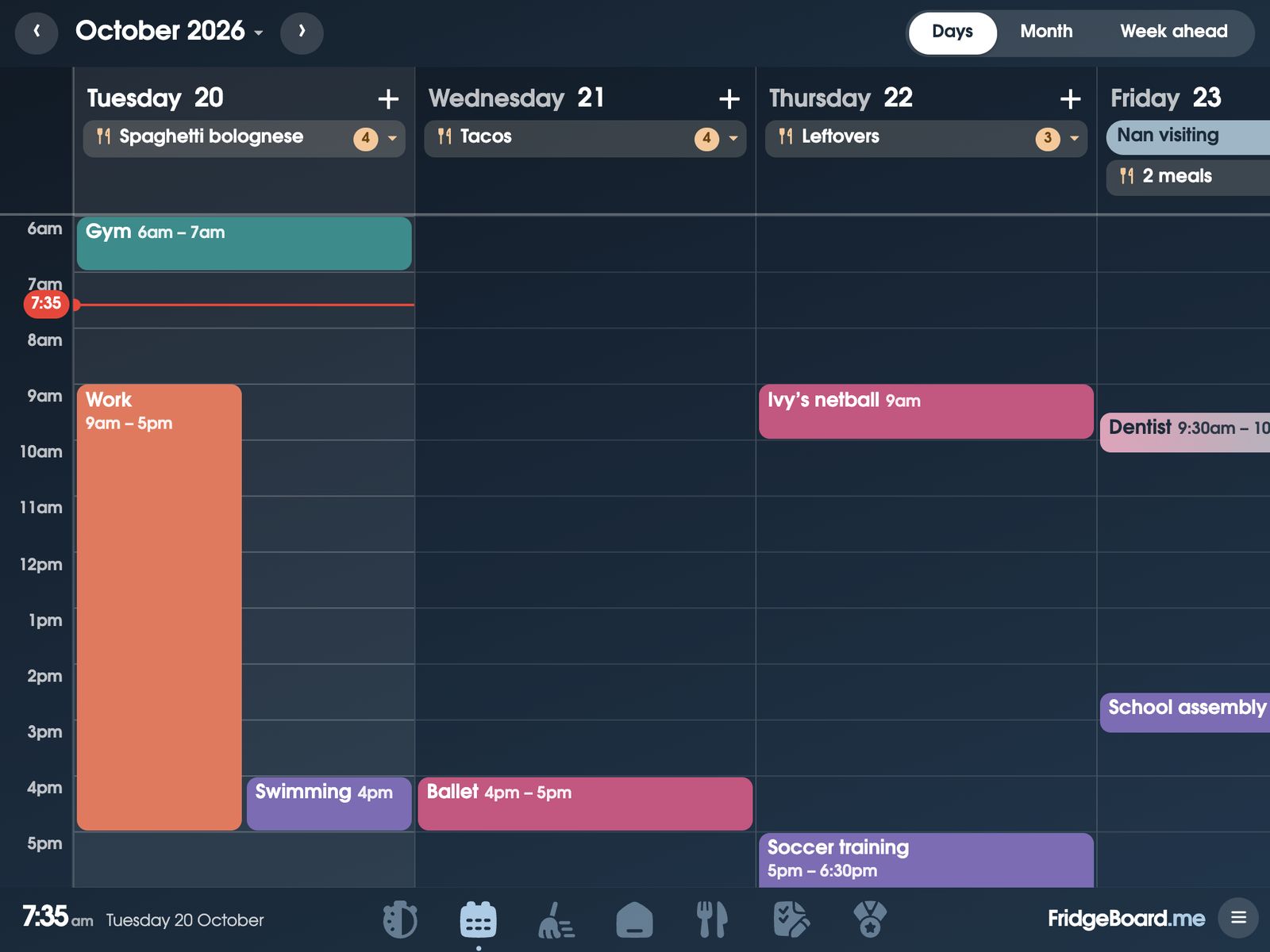
Which Android tablets work
Android tablets work in Chrome or any other browser, with touch. That includes the Samsung Galaxy Tab and Lenovo tablets many families have sitting on the bench or in a drawer, and the cheaper no-name tablets bought for the kids. A bigger screen (10 inches or so) is easier to read from across the kitchen, but smaller ones work too.
Amazon Fire tablets work in their Silk browser: families run it on an older Kindle Fire. We haven’t been able to test every model, so the 5-day free trial needs no card: open it on your tablet and see before you pay anything.
Families also run it on big Android tablets: one uses a 24-inch tablet as the kitchen screen. More about bigger screens.
If the tablet is very old and its browser hasn’t been updated in years, try it first. Updating Chrome from the Play Store, if the tablet still allows it, is worth doing.
Setting it up
- On your phone, go to fridgeboard.me and tap Try it free. Add who lives at home and pick what goes on the shared screen.
- On the tablet, open Chrome (or Silk on a Fire), go to fridgeboard.me, tap Open, then Use this as the shared screen. It shows you how to add it to the Home screen.
- Open FridgeBoard from its Home screen icon. The tablet shows a QR code.
- On your phone, tap Connect a screen and scan the code (or type the code under it). Your household appears on the tablet.
- Work through the screen tips below, then put it on the bench or the fridge.
Keeping an Android tablet screen on
A kitchen display is only useful if it’s on when you walk past. These are the settings that matter. The names move around a little between brands, so if you can’t find one, search for it in the Settings app.
- Keep the screen on. Settings › Display › Screen timeout: pick the longest. On many tablets that’s only 10 or 30 minutes, so to keep it on while it’s charging, turn on Developer options (tap Build number 7 times under About tablet) and switch on Stay awake. FridgeBoard has its own sleep screen and night mode, so the screen still rests overnight.
- Stay in FridgeBoard. Settings › Security › App pinning (or Screen pinning): turn it on. Then open your recent apps, tap FridgeBoard’s icon and tap Pin. Children can tick off their chores but can’t wander off to games.
- Keep it charging. Leave it plugged in, with a 10W or stronger charger. A small phone charger can’t keep up with a screen that’s on all day.
- Set the brightness. Swipe down from the top and drag brightness to about halfway.
- Turn off the noise. Switch off notifications from other apps on the tablet so pop-ups don’t cover the calendar.
If a tablet battery ever swells or the case starts to lift, unplug it and stop using it.
An Amazon Fire tablet as a family command center
Fire tablets are cheap and common, which makes them an easy way to try a family command center (or centre). A few things to know:
- Use Silk. Silk is the Fire’s built-in web browser. Open it, go to fridgeboard.me, and follow the same steps as above. Silk may not offer Add to Home screen: if not, tap Continue here and it carries on in the browser.
- Look for the same settings. Fire tablets have a screen timeout under Display. Pick the longest it offers. If yours has app or screen pinning under Security, turn it on.
- Lock screen ads. Some Fire tablets show offers on the lock screen. Keeping the screen on with FridgeBoard open means you’ll rarely see the lock screen.
- Try it first. We can’t test every Fire model and software version, so check yours with the free trial.
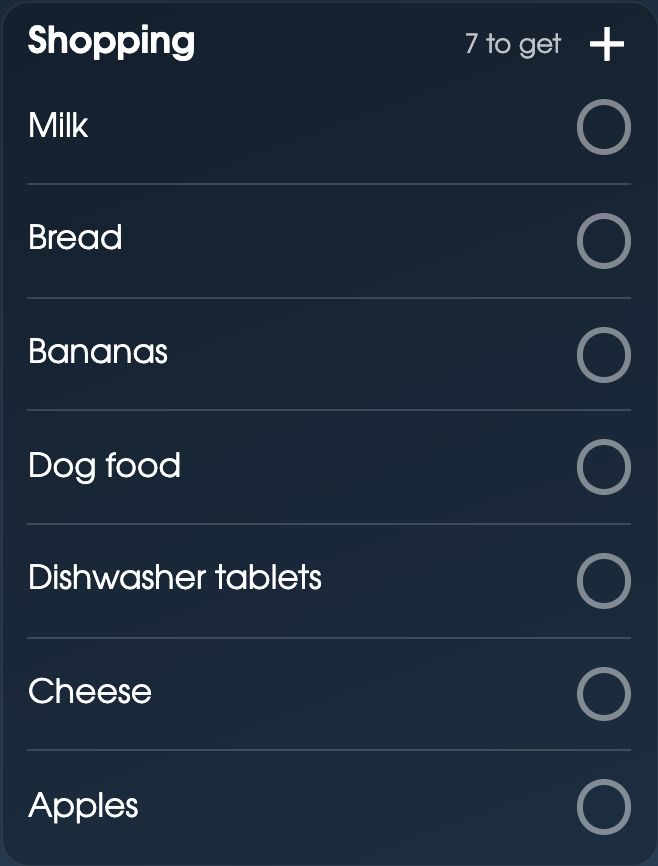
What the tablet shows
Once it’s set up, the tablet is your household dashboard. The family calendar syncs both ways with Google Calendar and Outlook, and shows school and club calendars from their links. Each child has a card with their chores and routines for today. The shopping list and the week’s meals sit beside them, with the weather and a countdown, and kitchen timers on the stopwatch. At night it shows a photo or clock sleep screen.
Arrange it however suits you: hold anywhere on Home (or tap ☰, then Arrange Home), drag cards to move them and drag a corner to resize. Each screen can have its own Home, so a tablet in a child’s room can show just their routine and the clock. See what goes on a family command center for ideas.
Tips for a tablet on the kitchen bench
- Out of the splash zone. Keep it back from the sink and the kettle. A cheap clear case helps with sticky fingers.
- Landscape usually reads best. More of the week fits side by side.
- Mind the cable. A short right-angle cable along the splashback is tidier than one across the bench.
- On the fridge? Adhesive magnets on the back of the case work on a magnetic fridge door. Whatever you use to put it up, you do it at your own risk: we can’t take responsibility for devices that fall or break.
Have an iPad too? Any from the iPad 2 on works, even old ones. See turning an old iPad into a family calendar.
Questions
Can I use an old Android tablet as a family calendar?
Yes. FridgeBoard runs in Chrome or any browser on an Android tablet and turns it into a shared family calendar, chore chart and shopping list, in sync with every phone at home. Try it with the 5-day free trial to check your tablet.
Does FridgeBoard work on an Amazon Fire tablet?
It should, in the Fire’s Silk browser. We can’t test every Fire model, so the free trial needs no card and lets you check yours first.
How do I keep an Android tablet screen on all the time?
Set Settings › Display › Screen timeout to the longest it offers. If that’s still too short, turn on Developer options (tap Build number 7 times under About tablet) and switch on Stay awake, which keeps the screen on while it’s charging. Keep it plugged into a 10W or stronger charger. FridgeBoard’s own sleep screen and night mode rest the screen overnight.
How do I stop kids leaving the app on an Android tablet?
Turn on App pinning (or Screen pinning) under Settings › Security, then pin FridgeBoard from your recent apps. Children can still tick off chores but can’t open other apps.
Is there a family calendar app for Samsung Galaxy Tab?
FridgeBoard works on a Samsung Galaxy Tab in its web browser, with nothing to install. It shows the family calendar with Google Calendar and Outlook sync, plus chores, lists and meals.
How much does it cost?
FridgeBoard is one payment for the whole household, US$24 plus tax in the US or A$39 in Australia, with no subscription. Three shared screens and every phone at home are included.