Home › Guides › A bigger screen
A big touchscreen family calendar: the screens that work
FridgeBoard runs in a web browser, so the family calendar, chores, shopping list and meals can go on a screen much bigger than an iPad: a touchscreen all-in-one PC, a laptop, a big Android tablet, an Echo Show 15 or a TV. All of these are screens families already run it on. Here’s what each is like, what to check before you buy, and how to set one up so it stays on.
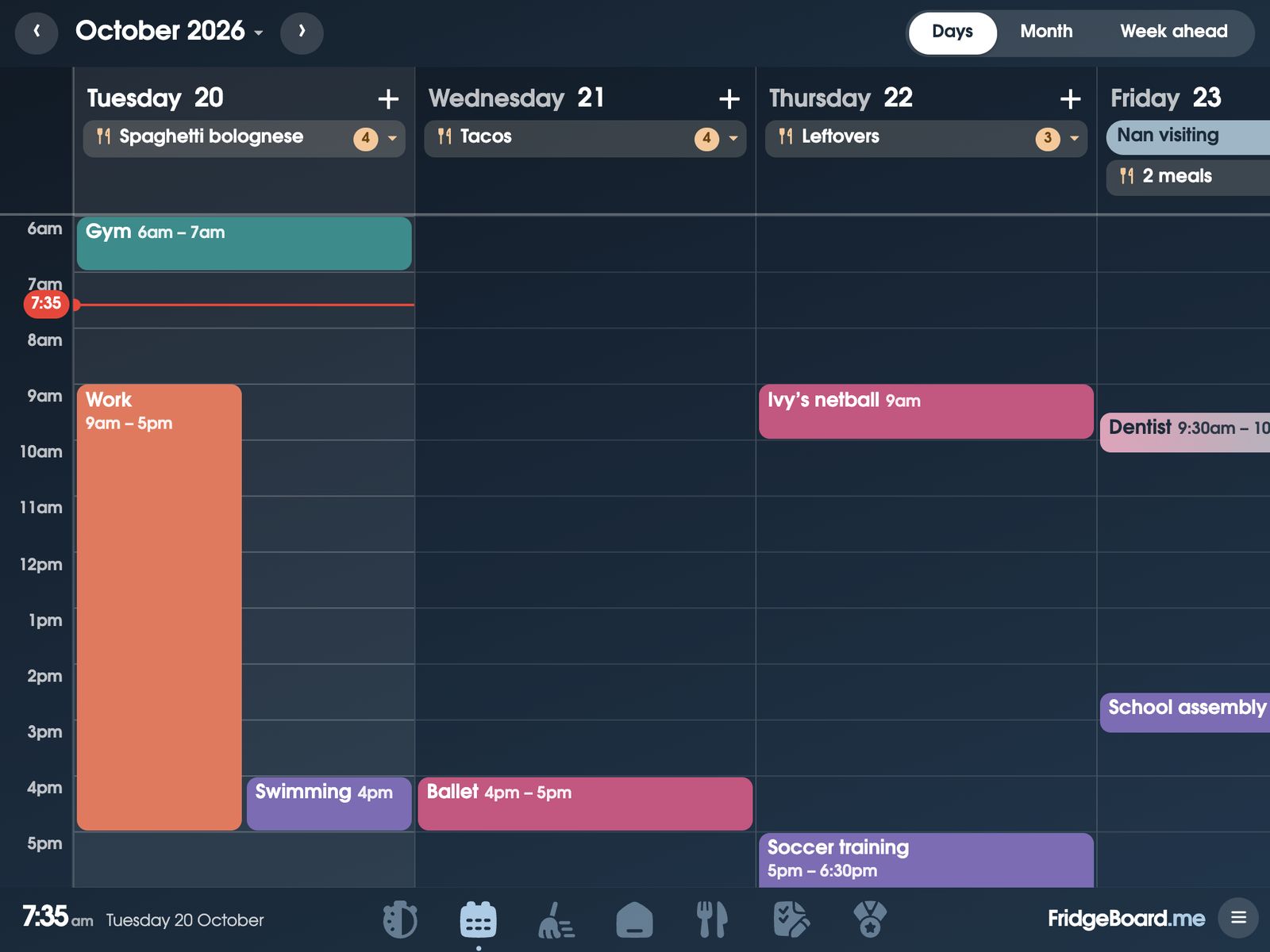
What families run it on
- A touchscreen all-in-one PC. A 23-inch touchscreen all-in-one is one family’s screen: big, touchable, and a computer when they need one.
- A Microsoft Surface or a Chromebook. A 15.6-inch Chromebook and Surface tablets are both in use. A laptop that stays on the bench gives you a big screen and keeps the computer free for other things.
- A big Android tablet. A 24-inch Android tablet runs it in Chrome, with touch.
- An Echo Show 15. It runs in the Echo Show’s Silk browser, touch included. Setting up an Echo Show.
- A TV. In a smart TV’s own browser (a Hitachi, for one) or a Fire TV’s. There’s no touch, so the TV shows everything and you tick things off on your phone.
- A big iPad. A 13-inch iPad Pro is the biggest iPad, and an old one works just as well as a new one. Using an old iPad.
A touchscreen monitor and a small PC
Some families are putting a touchscreen monitor on the kitchen wall with a small PC behind it. Any computer with a web browser runs FridgeBoard, so this should work, and kids can tick their jobs on the wall. Two things to check: the monitor needs its touch connection (usually a USB cable as well as the video cable), and the PC needs to be set never to sleep its screen. A Raspberry Pi running a web browser should work too. Try your setup with the free trial before you mount anything.
Screen or TV: which suits your family?
- Touch matters if the kids tick things off on the screen. Chores, routines and coins are much more fun tapped on the wall. A TV is great to look at, but ticking happens on phones.
- Size against distance. 15 inches is plenty on the bench or the fridge. Across a room or a big kitchen, 21 to 27 inches is easier to read.
- Height. Put a touch screen where the shortest person who ticks things can reach it.
- Power. A wall screen needs a power point nearby, and a computer behind it needs one too.
- Portrait or landscape. FridgeBoard has a layout for a screen that’s taller than it’s wide.
Setting up a big screen so it stays on
- On your phone, go to fridgeboard.me, tap Try it free and add who lives at home.
- On the big screen, open the web browser, go to fridgeboard.me, tap Open, then Use this as the shared screen, and scan the code with your phone.
- Make it full screen. In Chrome or Edge on a computer, press F11 (on a Chromebook, the full-screen key). On a tablet, add it to the Home screen when FridgeBoard offers.
- Stop the screen sleeping. On Windows, set the screen to turn off Never in Settings › System › Power. On a Chromebook, choose to keep the display on in Settings › Device › Power. On an Android tablet, see keeping an Android tablet on. FridgeBoard has its own sleep screen and night mode, so the screen still rests overnight.
- Open Arrange Home, then Layouts. Pick Upright screen for a portrait screen, or Big month if the calendar matters most, then make the cards whatever size you like.
One home, more than one screen
A big screen in the kitchen doesn’t have to be the only one. Three shared screens are included, so a small tablet can stay in a child’s room or at the top of the stairs, each with its own Home. Extra screens are US$10 each, paid once, and phones never count.
Questions
Can I use a big touchscreen as a family calendar without a subscription?
Yes. FridgeBoard runs in the web browser on a touchscreen PC, laptop, big Android tablet, Echo Show 15 or TV, for one payment (US$24 plus tax in the US, A$39 in Australia) with no subscription.
Does FridgeBoard work on a touchscreen monitor?
Yes, with a computer behind it: any computer with a web browser runs FridgeBoard, and the monitor’s touch works once its touch cable is connected. Try your setup with the 5-day free trial.
Will it work on my TV?
Yes, if the TV has a web browser: most Samsung and LG TVs do, and Android TVs can add one from their Play Store. Families run it on a Hitachi smart TV and a Fire TV. You tick things off on your phone, since TVs don’t have touch.
What size screen is best for a family calendar?
As a rough guide, around 15 inches suits a bench or fridge, and 21 to 27 inches is easier to read across a big kitchen or from the other side of a room.
Can I hang the screen vertically?
Yes. FridgeBoard has an Upright screen layout for screens taller than they’re wide: everyone across the top, then the month, the day and the lists.
Can I have a big screen and a small one?
Yes. Three shared screens are included, each with its own Home, and every phone at home stays in sync with all of them.