An Echo Show 15 as your family calendar and chore chart
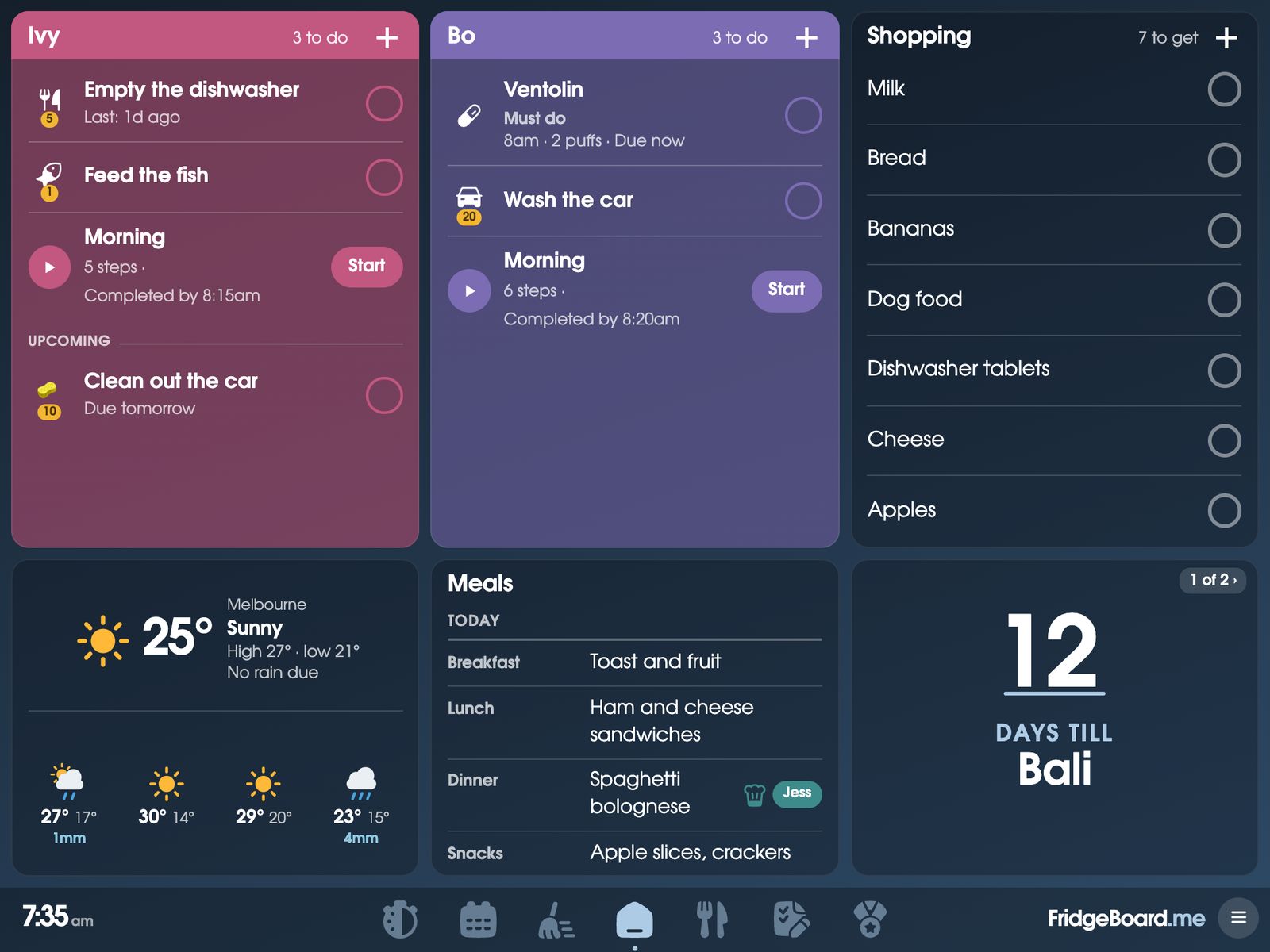
If there’s an Echo Show 15 on your kitchen wall, it can be the family’s shared screen. FridgeBoard runs in the Echo Show’s Silk web browser and puts the family calendar, chores and coins, the shopping list, meals and routines on it, all kept in sync with every phone at home. Families already use it this way, and the touch screen works: kids tick their own jobs off on the wall.
Which Echo Shows work
- Echo Show 15. Families run FridgeBoard on it every day. It’s big enough for the full Home: everyone’s card, the calendar, the shopping list and meals.
- Echo Show 21. It has the same Silk browser, so it should work the same way. Try it with the free trial.
- Smaller Echo Shows (8 and 10). FridgeBoard gives a small screen a simple at-a-glance Home: the clock, the weather, what’s coming up and the shopping list, big. Whether that’s useful at that size is up to you, so try it first.
An Echo Show doesn’t have an App Store for other apps, which is why FridgeBoard runs in the browser instead. There’s nothing to install.
Setting it up
- On your phone, go to fridgeboard.me and tap Try it free. Add who lives at home.
- On the Echo Show, say “Alexa, open Silk”. Type fridgeboard.me in the address bar, tap Open, then Use this as the shared screen.
- The Echo Show goes straight to a code (Silk can’t add pages to a Home screen, so FridgeBoard skips that step). Scan it with your phone’s camera, or type the code in FridgeBoard on your phone under Connect a screen.
- Your household appears on the Echo Show. Bookmark the page in Silk so it’s quick to get back to.
Living with Silk on an Echo Show
Silk is a full web browser, but the Echo Show is Alexa’s screen first. Owners report that it can go back to Alexa’s own home screen after a while, and Amazon doesn’t offer a setting to stop that. When it happens, say “Alexa, open Silk” and open FridgeBoard again. The Echo Show stays connected to your household, so it comes straight back to your board with nothing to set up again.
Everything you add on your phone shows on the Echo Show within a few seconds, and everything ticked on the Echo Show shows on the phones.
Arranging it for the wall
The Echo Show 15 can hang landscape or portrait. On the shared screen, open Arrange Home, then Layouts, and pick one: Upright screen is made for a screen that’s taller than it’s wide (everyone across the top, the month, then the day and the lists), and Made for your household suits landscape. Then drag and resize the cards however you like. Light, dark and colour themes help it sit nicely on the wall.
What about Alexa?
FridgeBoard runs alongside Alexa, not inside it. Alexa’s own lists can’t be linked: Amazon closed other apps’ access to Alexa’s shopping and to-do lists in 2024. Add things on the shared screen or from any phone instead, or by voice with Siri from an iPhone (“Hey Siri, add milk to FridgeBoard”).
For lights and plugs, FridgeBoard works with Home Assistant: lights, switches and scenes can go on the shared screen as tiles. FridgeBoard and Home Assistant.
What you get on the wall
- The family calendar, everyone in their colour, with Google Calendar and Outlook both ways and iCloud or school calendars shown.
- Chores that take turns, with coins and a treat shop.
- The shopping list, sorted by aisle, and the week’s meals.
- Morning and bedtime routines, one step at a time, with pictures for kids who can’t read yet.
- “Dinner’s ready!” from your phone, ringing on the wall until someone taps Got it.
- Your photos or a big clock when nobody’s using it.
Questions
Can an Echo Show 15 be a family calendar like Skylight?
Yes. FridgeBoard runs in the Echo Show 15’s Silk browser and turns it into a touch family calendar with chores, rewards, a shopping list and meals, kept in sync with every phone at home, for one payment and no subscription.
Does FridgeBoard work on the Echo Show 21 or smaller Echo Shows?
The Echo Show 21 has the same Silk browser, so it should work the same way. Smaller Echo Shows get a simple at-a-glance Home. Try yours with the 5-day free trial, which needs no card.
Why does my Echo Show go back to Alexa’s screen?
The Echo Show can return to Alexa’s home screen after a while, and Amazon doesn’t offer a setting to stop it. Say “Alexa, open Silk” and open FridgeBoard again: the screen stays connected, so your board comes straight back.
Can Alexa add things to the FridgeBoard shopping list?
No. Amazon closed other apps’ access to Alexa’s lists in 2024. Add things on the shared screen, from any phone, or by voice with Siri from an iPhone.
Can the kids tick off chores on the Echo Show?
Yes. The touch screen works like any tablet: children tick their chores and routine steps on the wall, and a household PIN keeps the settings for grown-ups.
Is there a subscription?
No. FridgeBoard is one payment for the whole household (US$24 plus tax in the US, A$39 in Australia), with 3 shared screens and every phone included.