Home › Compare › Mango Display alternative
Mango Display vs FridgeBoard: a family screen with no subscription
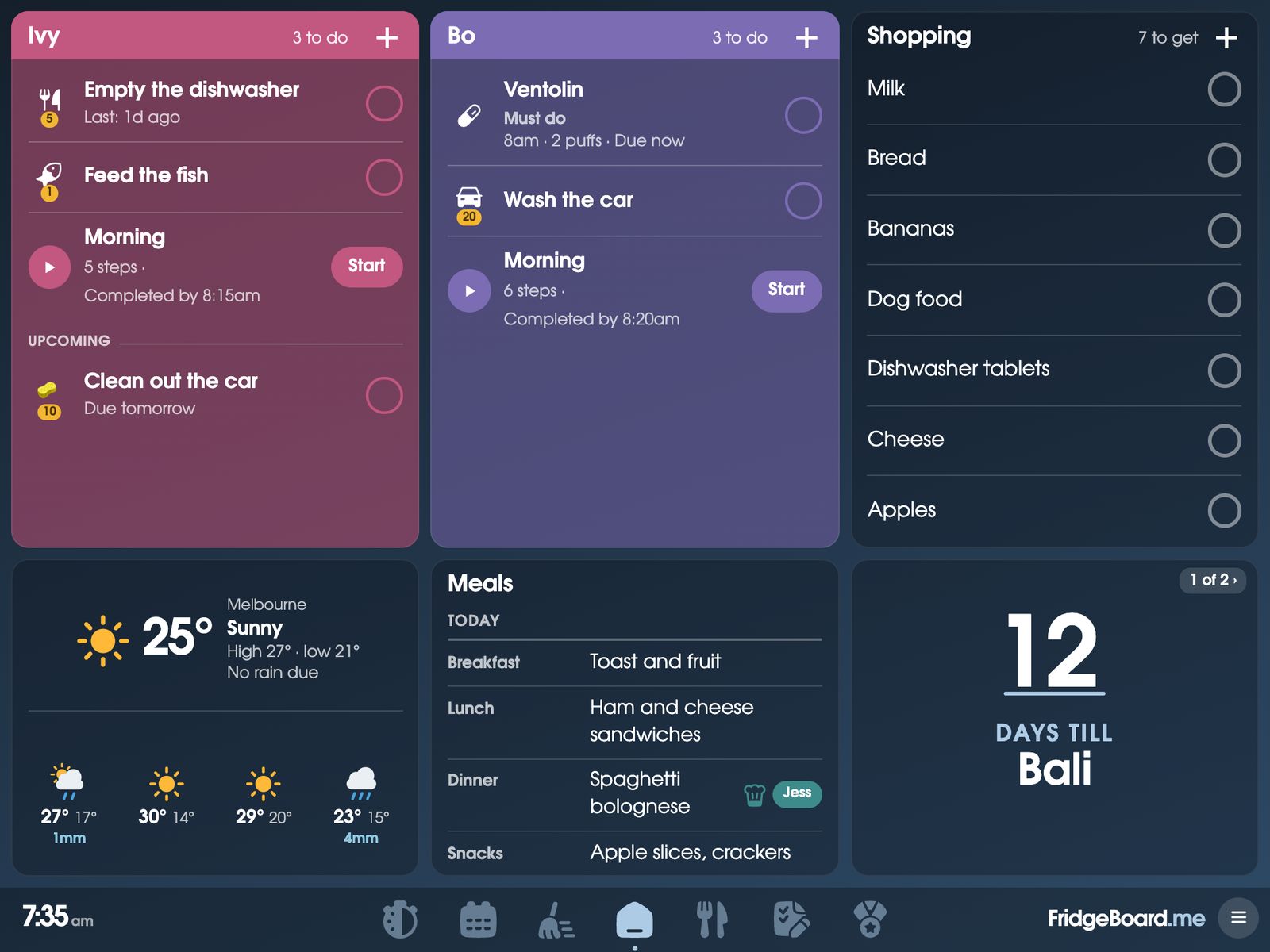
FridgeBoard turns an iPad you already own, back to the iPad 2, or an Android tablet or computer, into the household’s shared screen: family calendar, chores with coins and rewards, shopping list, meals and kids’ routines, in sync with every phone at home. Mango Display also runs on screens you own; the main differences are that FridgeBoard is one payment with no subscription, and that it runs on much older iPads.
What Mango Display is and what it costs
Mango Display is software that turns screens into displays for calendars, photos and business signage. Its website lists Fire TV, Samsung and LG smart TVs, Android and Google TV, the iPad, Android and Fire tablets, Amazon Echo Show, Windows PCs, Raspberry Pi and any web browser.
It has four plans, priced in US dollars:
- Free: $0, with 2 screens. Clock, news headlines, weather, background images, daily quotes and custom layouts.
- Pro: $5.99 a month or $59.99 a year, with 3 screens and $2.99 a month for each extra screen. Adds calendars (Google, Outlook, iCloud, Cozi and iCal links), notes, to-do apps, photos, chores and rewards, meal plans, countdowns and touch or remote control.
- Business: $19.99 a month or $199 a year, adding documents, video and more.
- Enterprise: $49 a month or $499 a year.
Every paid plan has a 30-day free trial and can be cancelled at any time. For a family calendar with chores and meal plans, Pro is the plan that includes them.
Mango Display vs FridgeBoard: the cost over 1, 3 and 5 years
| Plan | First year | After 3 years | After 5 years | |
|---|---|---|---|---|
| FridgeBoard | One payment, 3 shared screens | US$24 | US$24 | US$24 |
| Mango Display Pro | Billed yearly, 3 screens | $60 | $180 | $300 |
| Mango Display Pro | Billed monthly, 3 screens | $72 | $216 | $359 |
| Mango Display Free | 2 screens, no calendars | $0 | $0 | $0 |
Checked November 2026 on mangodisplay.com: US prices before tax, rounded to the dollar. Both run on screens you already own, so there’s no hardware in these totals. Monthly totals count every month, without taking off a free first month. A fourth screen is $2.99 a month on Mango Display Pro, and US$10 as a one-off payment on FridgeBoard. Prices change, so check them before you buy. See every comparison on one page.
Is Mango Display worth it?
On cost: Mango Display’s free plan doesn’t include calendars, so a family calendar with chores means Pro, at $59.99 a year or $300 over five years. FridgeBoard is US$24 in total, with every feature included and updates for as long as FridgeBoard runs. If you have more than three screens, Mango Display Pro adds $2.99 a month for each extra one, and FridgeBoard charges US$10 once for each one beyond three. Phones never count as screens on FridgeBoard.
Mango Display on an old iPad
This is where the two differ most. Mango Display’s iPad page says its app supports iOS 15 and above. iPadOS 15 runs on the iPad Air 2, iPad mini 4, iPad (5th generation), every iPad Pro and later models. Mango Display also lists a web browser option, and its site doesn’t say which older iPads that covers.
FridgeBoard runs in Safari on every iPad from the iPad 2 (2011) on, back to iOS 9, including the iPad 3, iPad 4, the first iPad Air and the early iPad minis. It doesn’t need the App Store or an Apple ID, and it’s made to stay fast on old iPads. Turning an old iPad into a family screen.
Getting an old iPad ready, whatever you run on it
- Charge it overnight. An old iPad that seems dead is usually just flat. Use a 10W (2.1A) or stronger charger. If the battery has swollen, don’t charge it.
- Check your Wi-Fi. Older iPads work with newer Wi-Fi, mesh included, but some routers have the older way of joining switched off. Our help page explains how to turn it back on.
- Wipe it if it was someone else’s. Erase All Content and Settings (under Settings › General › Reset, or Transfer or Reset iPad on newer versions) gives you a clean start.
- Keep it on one page. Guided Access, under Accessibility in Settings, stops it wandering off to other apps.
Feature by feature
| Mango Display Pro | FridgeBoard | |
|---|---|---|
| Runs on | TVs, tablets, iPad (app needs iOS 15+), Echo Show, PCs, Raspberry Pi, browsers | Any iPad from the iPad 2, Android tablets, computers, many smart TVs |
| Calendars | Google, Outlook, iCloud, Cozi, iCal links | Google and Outlook two-way; iCloud and other links shown; up to 20 |
| Chores and rewards | Included in Pro | Included: turns, coins, a shop and shared goals |
| Meal plans | Included in Pro | Included, with recipes and the shopping list |
| Screens | 3, then $2.99 a month each | 3, then US$10 once each |
| Business signage | Business and Enterprise plans | Not offered: made for households |
| Cost | $59.99 a year, or $5.99 a month | One payment |
What FridgeBoard includes for one payment
- The family calendar in each person’s colour, with Days, Week and Month views. The family calendar.
- Chores and rewards: chores that take turns, finish-by times, coins, a treat shop and pocket money. The chore chart.
- Kids’ routines with a full-screen player and picture steps for children who can’t read yet. Routine charts.
- Meals, recipes and a shared shopping list sorted by aisle.
- Habits, medicine and pet care, with who did what and when.
- Messages from a phone that ring on the fridge until someone taps Got it.
- Every phone at home, so adults add and change things from wherever they are.
Already using Mango Display? Keep the screen
Both run on screens you own, so the screen stays where it is. An iPad, Android or Fire tablet, Windows PC, or a Samsung or LG smart TV with a web browser can open fridgeboard.me. Streaming sticks such as a Fire TV Stick can’t open web pages, so FridgeBoard doesn’t run on them. Check your screen with the free trial. Which screens can run FridgeBoard.
Setting it up
- On your phone, go to fridgeboard.me and tap Try it free. Add who lives at home.
- Connect your calendars, and add chores, a routine and the week’s meals.
- On the iPad, open Safari, go to fridgeboard.me, tap Open, then Use this as the shared screen. Scan the code with your phone.
- Put it on the fridge or the bench. Every phone you invite stays in sync.
Questions
How much does Mango Display cost?
Mango Display has a free plan with 2 screens and no calendars, and a Pro plan at $5.99 a month or $59.99 a year that adds calendars, chores and rewards and meal plans, on its website in November 2026. Paid plans have a 30-day free trial.
Is there a Mango Display alternative without a subscription?
Yes. FridgeBoard is one payment for the household (US$24 plus tax in the US, A$39 in Australia), with no monthly or yearly plan, and runs on an iPad, Android tablet or computer you already own.
Does Mango Display work on an old iPad?
Mango Display’s iPad page says its app supports iOS 15 and above, which means the iPad Air 2, iPad mini 4 or iPad (5th generation) and later. FridgeBoard runs in Safari on every iPad from the iPad 2 on, back to iOS 9.
Mango Display vs FridgeBoard: what’s the difference?
Both turn a screen you own into a family display. Mango Display’s calendar, chores and meal plans are in its Pro subscription, and it also has plans for business signage, while FridgeBoard is one payment, made only for households, with kids’ routines, coins and every phone at home included.
How many screens can I use with FridgeBoard?
Three shared screens are included, and each one after that is a one-off US$10. Phones never count as screens.
Can I try FridgeBoard on my iPad first?
Yes. The 5-day free trial needs no card, and the 5 days start when the first shared screen is connected, or 7 days after sign-up if that’s sooner.