Home › Compare › DAKboard alternative
A DAKboard alternative with no monthly fee
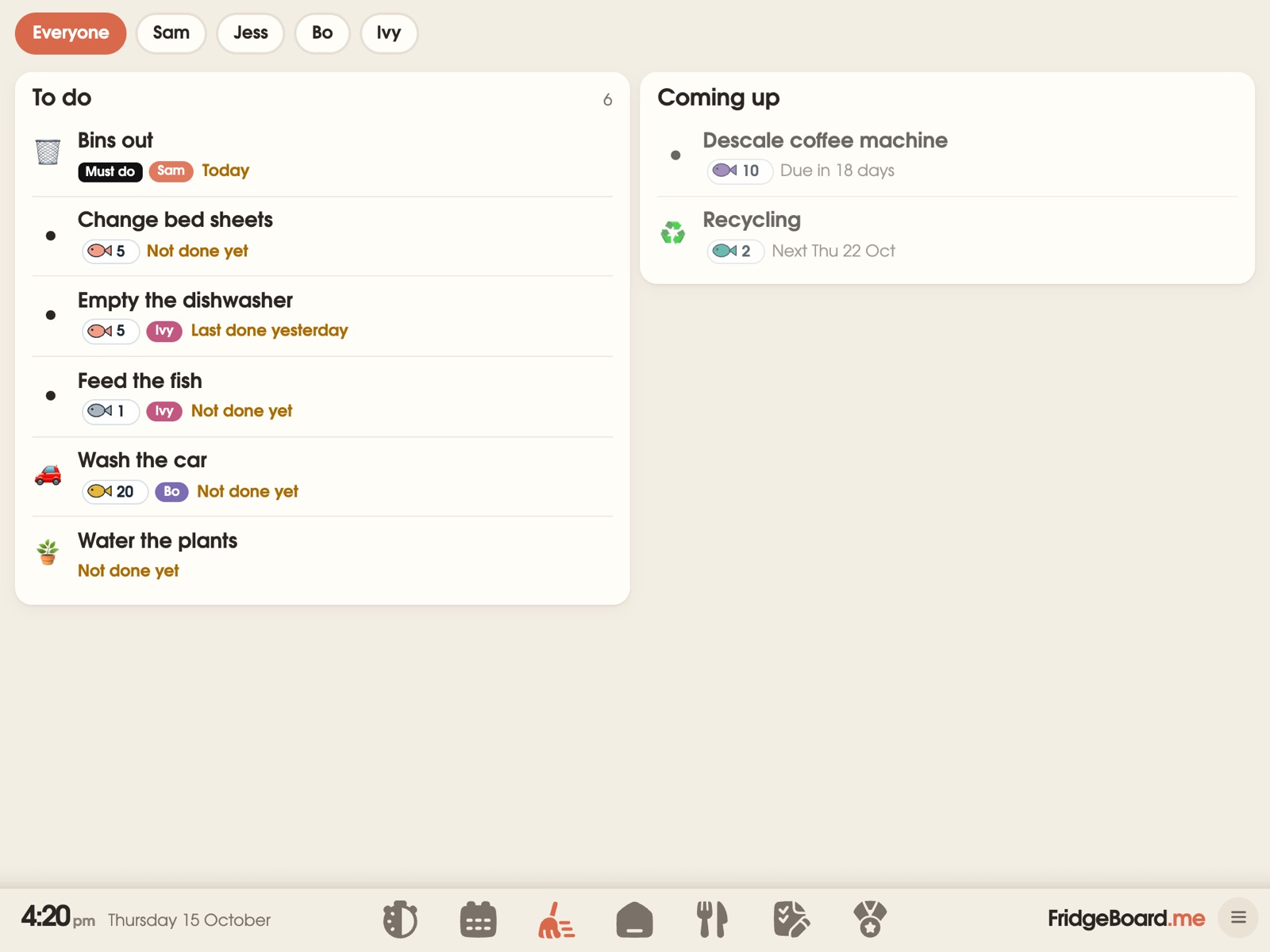
FridgeBoard is a family screen for an iPad, Android tablet or computer you already own: the family calendar, chores with coins and rewards, the shopping list, meals and kids’ routines, all kept in sync with every phone at home. Like DAKboard it runs on a screen you supply, but it’s one payment for the household instead of a monthly or yearly plan.
What DAKboard is and what it costs
DAKboard is software for a wall display. Its website says it works with almost anything that has a web browser: TVs, tablets and iPads, PC monitors, a Raspberry Pi, Amazon Fire TV and Android. DAKboard also sells its own hardware, including a $80 plug-and-play computer for an existing TV or monitor, and wall displays.
There’s a free plan with limits: one predefined screen, up to 2 calendars, a calendar refresh every 60 minutes, 2 devices per screen and DAKboard branding. The Essential plan is $6 a month, or $5 a month billed yearly. The Plus plan is $10 a month, or $8 a month billed yearly. Both paid plans have a 30-day free trial. On paid plans, DAKboard’s chores can be ticked with a tap on a touch screen, and its TouchHub can control Home Assistant devices, which DAKboard’s blog says is on every plan.
DAKboard vs FridgeBoard: the cost over 1, 3 and 5 years
| Plan | First year | After 3 years | After 5 years | |
|---|---|---|---|---|
| FridgeBoard | One payment, everything included | US$24 | US$24 | US$24 |
| DAKboard Free | 1 predefined screen, 2 calendars | $0 | $0 | $0 |
| DAKboard Essential | Billed yearly | $60 | $180 | $300 |
| DAKboard Essential | Billed monthly | $72 | $216 | $360 |
| DAKboard Plus | Billed yearly | $96 | $288 | $480 |
Checked November 2026 on dakboard.com: US prices before tax, not counting the screen or any hardware, which you supply for both. Monthly totals count every month, without taking off a free first month. Prices change, so check them before you buy. See every comparison on one page.
Is DAKboard worth it?
On cost: the free plan costs nothing, with the limits above. Essential billed yearly is $60 a year, which is $300 over five years before any hardware. FridgeBoard is US$24 in total, on a screen you already have, and its calendar, chores, coins, meals and routines are all in that one payment.
The bigger difference is what each is built for. DAKboard is a customisable display for whatever screen you give it. DAKboard’s paid plans add a chores app with points and rewards. FridgeBoard goes further for families: chores that take turns, routines with a step-by-step player, a treat shop, and every phone at home, for one payment.
What FridgeBoard includes for one payment
- Up to 20 calendars, with Google Calendar and Outlook syncing both ways, and iCloud and school calendars shown from their links. The family calendar.
- Chores you tick on the screen, which take turns, have finish-by times and earn coins. The chore chart.
- Rewards: a shop the parents fill, real pocket money if you like, and shared goals. Rewards.
- Meal planning and a shared shopping list sorted by aisle, on every phone.
- Routines for mornings and bedtime, step by step on the screen.
- A sleep screen with up to 10 photos, a big clock, or live scores from 22 leagues.
- Works with Home Assistant: light and sensor tiles, and sensors or buttons that tick things off. FridgeBoard and Home Assistant.
- 3 shared screens and every phone, with updates included for as long as FridgeBoard runs.
Feature by feature
| DAKboard | FridgeBoard | |
|---|---|---|
| The screen | Yours, or DAKboard hardware | Yours: iPad, Android tablet, computer or TV |
| Calendars | Up to 2 on Free; more on paid plans | Up to 20, included |
| Tap to tick chores | Essential and Plus | Included |
| Home Assistant | Device control on every plan | Works with it, through the free Bridge app |
| Cost | Free, or from $5 a month billed yearly | One payment |
Building a DIY family dashboard: what you need
People search for DAKboard when they want a wall calendar they build themselves. Whatever software you use, the hardware questions are the same:
- Touch or no touch? A TV or monitor shows things well, but nobody can tick a chore on it. A tablet lets children tap their own jobs. With FridgeBoard on a TV, an adult ticks from a phone instead.
- The simplest screen is often a tablet. An iPad or Android tablet already has a screen, a computer, Wi-Fi and a battery. No Raspberry Pi, SD card or cables behind a frame.
- Plan the power. A wall screen needs a power point or a tidy cable. For a fridge, a long cable and adhesive magnets on the case are enough.
- Old hardware is fine. A family screen doesn’t need much. FridgeBoard runs on every iPad from the iPad 2 on, and is made to stay fast on old ones. Using an old iPad.
Already have a DAKboard screen? Keep the screen
If the screen you use with DAKboard can open a web page full screen, such as a tablet, a computer with a browser or many Samsung and LG smart TVs, FridgeBoard can run on it too. Streaming sticks and screens without a browser can’t. Check yours with the free trial. Which screens can run FridgeBoard.
Setting it up
- On your phone, go to fridgeboard.me and tap Try it free. Add who lives at home.
- Connect your calendars, and add chores and meals.
- On the screen, open the web browser, go to fridgeboard.me, tap Open, then Use this as the shared screen. Scan the code with your phone.
- That’s it: no SD card to write and no software to install. It’s on the wall or fridge in about five minutes.
Questions
How much does DAKboard cost?
DAKboard has a free plan with limits, an Essential plan at $6 a month or $5 a month billed yearly, and a Plus plan at $10 a month or $8 a month billed yearly, on its website in November 2026. The screen and any hardware are extra.
Is there a DAKboard alternative without a monthly fee?
Yes. FridgeBoard is one payment for the household (US$24 plus tax in the US, A$39 in Australia) with no monthly or yearly plan, and it runs on an iPad, Android tablet or computer you already own.
Do I need a Raspberry Pi for a family calendar display?
Not for FridgeBoard. It runs in the web browser of an iPad, Android tablet or computer, so the tablet itself is the whole setup.
Can kids tick off chores on the screen?
Yes. On a touch screen, children tap their own chores, routine steps and treats, and parents can tick for them from a phone. A household PIN stops children changing settings or giving themselves coins.
Does FridgeBoard work with Home Assistant like DAKboard?
Yes. The free FridgeBoard Bridge app for Home Assistant OS puts lights and sensors on the shared screen and lets sensors and buttons tick off chores, walks and medicines.
Can I put FridgeBoard on a TV?
Smart TVs with a web browser run FridgeBoard (most Samsung and LG TVs have one, and Android TVs can add one from their Play Store), and you tick things off from your phone. Streaming sticks can’t open web pages, so they don’t work.